<?xml version="1.0" encoding="utf-8"?>
<feed xmlns="http://www.w3.org/2005/Atom">
  <title>Levi Huff</title>
  <subtitle>Technical blog covering full-stack development, systems administration, and IT.</subtitle>
  <link href="https://levihuff.net/feed.xml" rel="self"/>
  <link href="https://levihuff.net/"/>
  <updated>2026-04-29T00:00:00Z</updated>
  <id>https://levihuff.net/</id>
  <author>
    <name>Levi Huff</name>
    <email>levihuff1207@gmail.com</email>
  </author>
  <entry>
    <title>Rebuilding My Dev Setup With Three LLMs</title>
    <link href="https://levihuff.net/blog/rebuilding-my-dev-setup-with-three-llms/"/>
    <updated>2026-04-29T00:00:00Z</updated>
    <id>https://levihuff.net/blog/rebuilding-my-dev-setup-with-three-llms/</id>
    
    <summary>A build log of moving to a Mac, rebuilding the terminal stack, and putting Claude Code, Codex, and Gemini to work on the same codebase. Two real failures included.</summary>
    
    <content type="html"><![CDATA[<p><img src="https://levihuff.net/images/blog/rebuilding-my-dev-setup-with-three-llms.jpg" alt="A clean macOS desktop with iTerm2 open, showing a tmux session" /></p>
<p>The site you are reading was rebuilt over the last few weeks. Most of what changed wasn’t the markup. It was the machine I write on, the terminal stack I write in, and the language models I run against the code.</p>
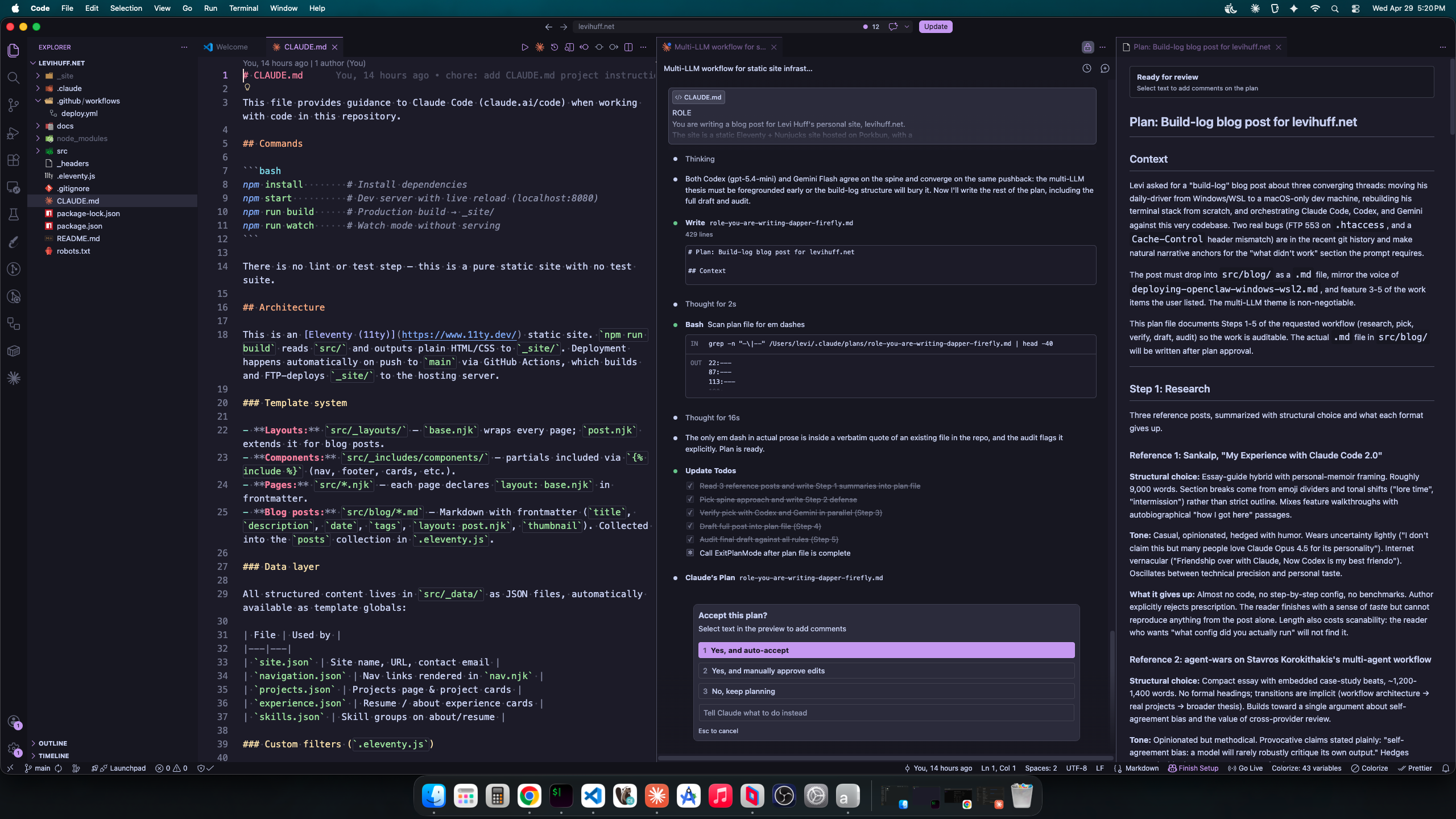
<p>The headline of this post: I don’t use one LLM, I use three. Claude Code is the orchestrator (planning and writing). Codex is the reviewer (asynchronous, often adversarial). Gemini is the large-context reader (full-repo grep, second opinions). Each model gets the job it does best. The reason is not fashion. A single model rarely critiques its own output convincingly, so two models reading the same diff catches things one model would talk itself into.</p>
<p>This is the build log. Real configs, two real failures, and one mistake I am leaving in the <code>.htaccess</code> as documentation.</p>
<h2 id="the-machine" tabindex="-1">The machine <a class="header-anchor" href="https://levihuff.net/#the-machine"><span aria-hidden="true">#</span><span class="sr-only">Permalink to this section</span></a></h2>
<p>For the last few years I drove a Windows machine with WSL2 underneath for Linux work. It mostly worked. WSL2 is not a virtual machine in the user-experience sense, but it is not seamless either. Pathing between Windows and Linux is a constant tax. Display-GPU sharing for local LLMs is its own tax, covered in <a href="https://levihuff.net/blog/deploying-openclaw-windows-wsl2/">Deploying OpenClaw on Windows with WSL2</a>, where I learned that 7GB of my 8GB VRAM was spoken for before the model loaded.</p>
<p>Now I write on a Mac. The machine itself is unremarkable. What was interesting was rebuilding everything that wasn’t muscle memory.</p>
<h2 id="the-terminal-stack" tabindex="-1">The terminal stack <a class="header-anchor" href="https://levihuff.net/#the-terminal-stack"><span aria-hidden="true">#</span><span class="sr-only">Permalink to this section</span></a></h2>
<p>Replacements, not improvements. The point was to rebuild a working environment, not to chase optimization.</p>
<ul>
<li>iTerm2 for the terminal</li>
<li>Powerlevel10k for the prompt</li>
<li>tmux for sessions</li>
<li>MesloLGS Nerd Font, because Powerlevel10k expects glyphs the system fonts don’t ship</li>
<li>Karabiner-Elements to translate ten years of Ctrl muscle memory into Cmd</li>
</ul>
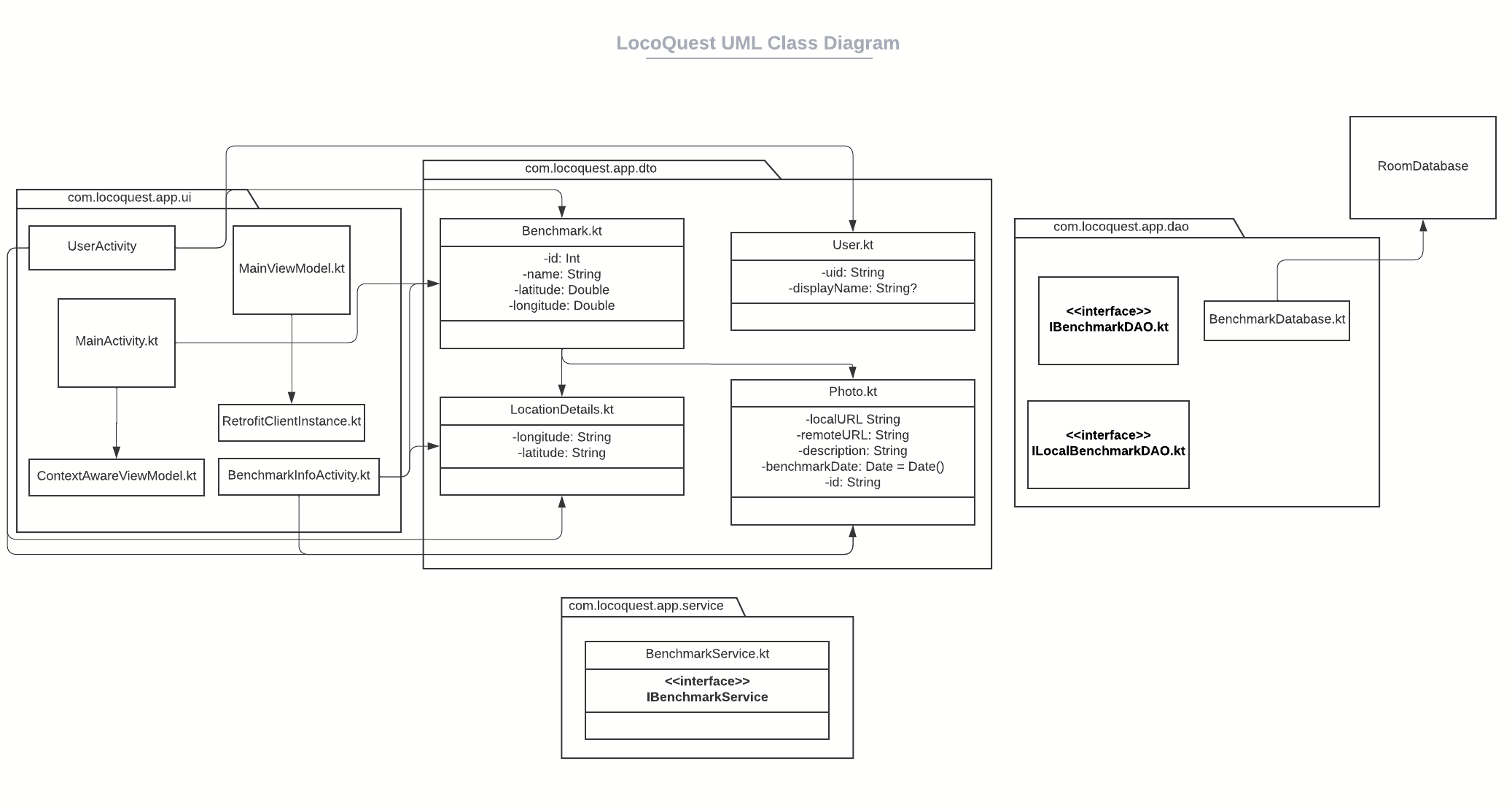
<p>Karabiner is the load-bearing piece. A decade of <code>Ctrl+C</code>, <code>Ctrl+V</code>, <code>Ctrl+A</code> does not unlearn itself in a week. Rather than retrain, I let Karabiner translate the keys. The rule for <code>Ctrl+C</code> to <code>Cmd+C</code>, with an <code>unless</code> clause for terminals and IDEs where <code>Ctrl+C</code> means SIGINT and should not be hijacked:</p>
<pre class="language-json"><code class="language-json"><span class="token punctuation">{</span><br />  <span class="token property">"description"</span><span class="token operator">:</span> <span class="token string">"C (Ctrl)"</span><span class="token punctuation">,</span><br />  <span class="token property">"manipulators"</span><span class="token operator">:</span> <span class="token punctuation">[</span><br />    <span class="token punctuation">{</span><br />      <span class="token property">"conditions"</span><span class="token operator">:</span> <span class="token punctuation">[</span><br />        <span class="token punctuation">{</span><br />          <span class="token property">"bundle_identifiers"</span><span class="token operator">:</span> <span class="token punctuation">[</span><br />            <span class="token string">"^com.googlecode.iterm2$"</span><span class="token punctuation">,</span><br />            <span class="token string">"^com.apple.Terminal$"</span><span class="token punctuation">,</span><br />            <span class="token string">"^com.github.wez.wezterm$"</span><span class="token punctuation">,</span><br />            <span class="token string">"^com.microsoft.VSCode"</span><span class="token punctuation">,</span><br />            <span class="token string">"^com.jetbrains"</span><span class="token punctuation">,</span><br />            <span class="token string">"^dev.zed.Zed$"</span><br />          <span class="token punctuation">]</span><span class="token punctuation">,</span><br />          <span class="token property">"type"</span><span class="token operator">:</span> <span class="token string">"frontmost_application_unless"</span><br />        <span class="token punctuation">}</span><br />      <span class="token punctuation">]</span><span class="token punctuation">,</span><br />      <span class="token property">"from"</span><span class="token operator">:</span> <span class="token punctuation">{</span><br />        <span class="token property">"key_code"</span><span class="token operator">:</span> <span class="token string">"c"</span><span class="token punctuation">,</span><br />        <span class="token property">"modifiers"</span><span class="token operator">:</span> <span class="token punctuation">{</span> <span class="token property">"mandatory"</span><span class="token operator">:</span> <span class="token punctuation">[</span><span class="token string">"left_control"</span><span class="token punctuation">]</span><span class="token punctuation">,</span> <span class="token property">"optional"</span><span class="token operator">:</span> <span class="token punctuation">[</span><span class="token string">"any"</span><span class="token punctuation">]</span> <span class="token punctuation">}</span><br />      <span class="token punctuation">}</span><span class="token punctuation">,</span><br />      <span class="token property">"to"</span><span class="token operator">:</span> <span class="token punctuation">[</span><span class="token punctuation">{</span> <span class="token property">"key_code"</span><span class="token operator">:</span> <span class="token string">"c"</span><span class="token punctuation">,</span> <span class="token property">"modifiers"</span><span class="token operator">:</span> <span class="token punctuation">[</span><span class="token string">"command"</span><span class="token punctuation">]</span> <span class="token punctuation">}</span><span class="token punctuation">]</span><span class="token punctuation">,</span><br />      <span class="token property">"type"</span><span class="token operator">:</span> <span class="token string">"basic"</span><br />    <span class="token punctuation">}</span><br />  <span class="token punctuation">]</span><br /><span class="token punctuation">}</span></code></pre>
<p>The full rule list is 63 entries: arrow-key word jumps, Home, End, the standard <code>Ctrl</code> shortcuts. The pattern above repeats with different keys.</p>
<p>That is most of the rebuild. Editor and shell config are personal preference and not the point of this post.</p>
<h2 id="three-providers-three-jobs" tabindex="-1">Three providers, three jobs <a class="header-anchor" href="https://levihuff.net/#three-providers-three-jobs"><span aria-hidden="true">#</span><span class="sr-only">Permalink to this section</span></a></h2>
<p>This is the part that is actually interesting. Three different language model providers running against the same codebase, each handling the work it does best.</p>
<ul>
<li><strong>Claude Code</strong>: orchestrator. Planning, refactoring, writing. Opus runs plan mode (the thinking step). Sonnet runs execution (the implementation step). Both inside one session with shared context.</li>
<li><strong>Codex (gpt-5.x family)</strong>: reviewer. Background async review of completed work. Adversarial review against <code>main</code> before a merge. Default model is <code>gpt-5.4-mini</code> at medium effort, cheap enough to run on every meaningful change.</li>
<li><strong>Gemini 2.5 Pro</strong>: large-context reader. Full-repo grep, multimodal screenshots, second opinions when Codex quota is tight or when context size is the actual bottleneck.</li>
</ul>
<p>The reason is not provider loyalty. A single model is a poor critic of its own output. If I ask Claude to write code and Claude to review it, Claude will find Claude’s reasoning convincing. Cross-provider review catches what single-provider review misses by construction.</p>
<p>The role split is documented in <code>~/.claude/CLAUDE.md</code>, which Claude Code loads at the start of every session:</p>
<pre class="language-markdown"><code class="language-markdown"><span class="token title important"><span class="token punctuation">##</span> Model Roles</span><br /><br /><span class="token table"><span class="token table-header-row"><span class="token punctuation">|</span><span class="token table-header important"> Model         </span><span class="token punctuation">|</span><span class="token table-header important"> Role </span><span class="token punctuation">|</span><br /></span><span class="token table-line"><span class="token punctuation">|</span><span class="token punctuation">---------------</span><span class="token punctuation">|</span><span class="token punctuation">------</span><span class="token punctuation">|</span><br /></span><span class="token table-data-rows"><span class="token punctuation">|</span><span class="token table-data"> Claude Code   </span><span class="token punctuation">|</span><span class="token table-data"> Orchestrator. Planning, reasoning, writing,</span><br /></span></span>                 refactoring, documentation, CLAUDE.md management |<br />| Codex         | Reviewer and rescue agent. Bug investigation,<br />                 targeted fixes, background review |<br />| Gemini        | Large-context specialist. Full-repo reads,<br />                 multimodal analysis, context-heavy investigation |</code></pre>
<p>Claude stays the orchestrator because it has the harness: persistent sessions, plan mode, hooks, sub-agents. Codex sits in the reviewer chair because GPT-family models read diffs differently than Claude does. Gemini sits in the chair Claude would otherwise burn its context window for, with a 1M-token window that swallows whole repos.</p>
<p>When this is overkill: a typo fix does not need three models. The trick is matching the task to the right model, not running all three on every prompt.</p>
<h2 id="the-deploy-pipeline" tabindex="-1">The deploy pipeline <a class="header-anchor" href="https://levihuff.net/#the-deploy-pipeline"><span aria-hidden="true">#</span><span class="sr-only">Permalink to this section</span></a></h2>
<p>GitHub Actions builds and FTP-uploads <code>_site/</code> to the Porkbun host on every push to <code>main</code>:</p>
<pre class="language-yaml"><code class="language-yaml"><span class="token key atrule">name</span><span class="token punctuation">:</span> Deploy to FTP<br /><br /><span class="token key atrule">on</span><span class="token punctuation">:</span><br />  <span class="token key atrule">push</span><span class="token punctuation">:</span><br />    <span class="token key atrule">branches</span><span class="token punctuation">:</span> <span class="token punctuation">[</span>main<span class="token punctuation">]</span><br /><br /><span class="token key atrule">jobs</span><span class="token punctuation">:</span><br />  <span class="token key atrule">deploy</span><span class="token punctuation">:</span><br />    <span class="token key atrule">runs-on</span><span class="token punctuation">:</span> ubuntu<span class="token punctuation">-</span>latest<br />    <span class="token key atrule">steps</span><span class="token punctuation">:</span><br />      <span class="token punctuation">-</span> <span class="token key atrule">uses</span><span class="token punctuation">:</span> actions/checkout@v4<br />      <span class="token punctuation">-</span> <span class="token key atrule">uses</span><span class="token punctuation">:</span> actions/setup<span class="token punctuation">-</span>node@v4<br />        <span class="token key atrule">with</span><span class="token punctuation">:</span><br />          <span class="token key atrule">node-version</span><span class="token punctuation">:</span> <span class="token string">'20'</span><br />          <span class="token key atrule">cache</span><span class="token punctuation">:</span> <span class="token string">'npm'</span><br />      <span class="token punctuation">-</span> <span class="token key atrule">run</span><span class="token punctuation">:</span> npm ci<br />      <span class="token punctuation">-</span> <span class="token key atrule">run</span><span class="token punctuation">:</span> npm run build<br />      <span class="token punctuation">-</span> <span class="token key atrule">uses</span><span class="token punctuation">:</span> SamKirkland/FTP<span class="token punctuation">-</span>Deploy<span class="token punctuation">-</span>Action@v4.3.5<br />        <span class="token key atrule">with</span><span class="token punctuation">:</span><br />          <span class="token key atrule">server</span><span class="token punctuation">:</span> $<br />          <span class="token key atrule">username</span><span class="token punctuation">:</span> $<br />          <span class="token key atrule">password</span><span class="token punctuation">:</span> $<br />          <span class="token key atrule">local-dir</span><span class="token punctuation">:</span> ./_site/<br />          <span class="token key atrule">server-dir</span><span class="token punctuation">:</span> $</code></pre>
<p>Build to live is roughly 40 seconds end-to-end. FTP feels archaic next to Netlify or Vercel, but the static build does not care, and it is what the host supports.</p>
<h2 id="what-didnt-work" tabindex="-1">What didn’t work <a class="header-anchor" href="https://levihuff.net/#what-didnt-work"><span aria-hidden="true">#</span><span class="sr-only">Permalink to this section</span></a></h2>
<p>Two real failures from the recent git history. They are kept here because the lessons are worth more than the fixes.</p>
<h3 id="failure-1-ftp-553-on-htaccess" tabindex="-1">Failure 1: FTP 553 on .htaccess <a class="header-anchor" href="https://levihuff.net/#failure-1-ftp-553-on-htaccess"><span aria-hidden="true">#</span><span class="sr-only">Permalink to this section</span></a></h3>
<p>I added a <code>.htaccess</code> for cache headers and a few security headers (X-Content-Type-Options, X-Frame-Options, Referrer-Policy, Permissions-Policy, HSTS at 2 years with <code>includeSubDomains; preload</code>). Locally, fine. On push, the FTP-Deploy step kept failing with <code>553 Could not create file</code> specifically on <code>.htaccess</code>. Other files uploaded clean.</p>
<p>The cause was the host. Porkbun’s static hosting environment does not run Apache. It rejects <code>.htaccess</code> uploads outright at the FTP layer. There is no workaround on this host short of moving to one that runs Apache.</p>
<p>The fix was not fancy. Remove the <code>addPassthroughCopy(&quot;src/.htaccess&quot;)</code> from <code>.eleventy.js</code>. Stop deploying the file. I left the file in <code>src/</code> with a comment at the top explaining what it would do if the site ever moved hosts:</p>
<pre class="language-apacheconf"><code class="language-apacheconf"><span class="token comment"># DEFENSIVE ARTIFACT — NOT DEPLOYED.</span><br /><span class="token comment"># Porkbun static hosting rejects .htaccess uploads (FTP 553) and does not</span><br /><span class="token comment"># run Apache. Retained as documentation of intended cache/security headers</span><br /><span class="token comment"># if the site ever migrates to an Apache host. To activate, re-add</span><br /><span class="token comment"># eleventyConfig.addPassthroughCopy("src/.htaccess") in .eleventy.js.</span></code></pre>
<p>The lesson: deploy errors that look like FTP problems are sometimes hosting policy. Read the host’s docs before chasing FTP timeouts.</p>
<h3 id="failure-2-header-set-vs-header-always-set" tabindex="-1">Failure 2: Header set vs. Header always set <a class="header-anchor" href="https://levihuff.net/#failure-2-header-set-vs-header-always-set"><span aria-hidden="true">#</span><span class="sr-only">Permalink to this section</span></a></h3>
<p>In the same <code>.htaccess</code>, the cache rules were originally written as <code>Header set Cache-Control &quot;...&quot;</code>. That works for normal 200 responses. It does not apply on responses Apache generates internally (304, 404, 500), because <code>Header set</code> only fires on the “onsuccess” hook. The fix is <code>Header always set</code>, which fires unconditionally including on error responses.</p>
<p>I shipped the fix. Then I reverted it. (PR #19 added <code>always</code>, PR #20 reverted PR #19.)</p>
<p>Why? Because the file is not being served by Apache. The earlier lesson means none of those <code>Header</code> directives are doing anything in production. Switching <code>set</code> to <code>always set</code> fixed nothing because there was nothing to fix in the deployed environment. The “more correct” form was correct in a vacuum and meaningless on this host.</p>
<p>This is exactly what the multi-LLM workflow is supposed to catch. It would have, if I had bothered to ask the right question. Claude reviewed the change and approved it. Codex would have approved it on syntactic and Apache-doctrine grounds. Neither was prompted to ask: “is this file actually being served?” because I did not include that in the prompt. Cross-provider review catches reasoning errors a single model would gloss over. It does not compensate for a wrong premise. That responsibility stays with me.</p>
<h2 id="key-takeaways" tabindex="-1">Key Takeaways <a class="header-anchor" href="https://levihuff.net/#key-takeaways"><span aria-hidden="true">#</span><span class="sr-only">Permalink to this section</span></a></h2>
<ol>
<li><strong>Three models, three jobs</strong>: orchestrator (Claude), reviewer (Codex), large-context reader (Gemini). Use the right one for the task. Do not run all three on every change.</li>
<li><strong>Cross-provider review is structural, not ornamental</strong>: the value is that the second model did not write the first answer. A single model will rarely robustly critique its own output.</li>
<li><strong>The hosting environment is part of the codebase</strong>: shipping <code>.htaccess</code> to a non-Apache host is a category error, not a typo. Configure for what is actually serving the bytes.</li>
<li><strong>Karabiner does the heavy lifting on a Mac migration</strong>: a weekend of remap rules buys years of not fighting the OS for Ctrl muscle memory.</li>
<li><strong>Build logs save the failure, not the fix</strong>: the FTP 553 commit and the <code>Header always set</code> revert are more useful in the history than two clean builds would have been.</li>
</ol>
<h2 id="conclusion" tabindex="-1">Conclusion <a class="header-anchor" href="https://levihuff.net/#conclusion"><span aria-hidden="true">#</span><span class="sr-only">Permalink to this section</span></a></h2>
<p>The site does not look much different from a year ago. Underneath, almost nothing is the same. Different machine, different terminal stack, different review pipeline, different review model.</p>
<p>I am writing this paragraph from a Mac, in iTerm2, inside tmux, with three different language model providers running on adjacent terminals. None of that is the post. The post is a record of where things broke, and what the LLMs caught (and did not catch) along the way.</p>
]]></content>
  </entry>
  <entry>
    <title>Deploying OpenClaw on Windows with WSL2</title>
    <link href="https://levihuff.net/blog/deploying-openclaw-windows-wsl2/"/>
    <updated>2026-04-14T00:00:00Z</updated>
    <id>https://levihuff.net/blog/deploying-openclaw-windows-wsl2/</id>
    
    <summary>A ground-level look at what it actually takes to get OpenClaw running locally on Windows: the wizard crashes, config schema traps, broken UI elements and a hard lesson about running LLMs on a display GPU</summary>
    
    <content type="html"><![CDATA[<p><img src="https://levihuff.net/images/blog/openclaw-hero.jpg" alt="OpenClaw Logo, which has a cartoon crab with circle claws and rectangle legs" /></p>
<p><a href="https://github.com/openclaw/openclaw">OpenClaw</a> is an open-source personal AI assistant that runs locally on your hardware. It connects to chat apps like WhatsApp, Telegram and Discord and can act as an autonomous agent: managing calendars, clearing inboxes, controlling your browser, running system commands. The pitch is a self-hosted AI that actually does things, on your own machine, with your own models.</p>
<p>I deployed it on my main workstation. My utility server is a repurposed Optiplex and wouldn’t keep up. Getting OpenClaw running on Windows with WSL2 was more involved than the documentation suggests, and I learned more from where it broke than from where it worked.</p>
<h2 id="windows-and-wsl2-are-intertwined" tabindex="-1">Windows and WSL2 Are Intertwined <a class="header-anchor" href="https://levihuff.net/#windows-and-wsl2-are-intertwined"><span aria-hidden="true">#</span><span class="sr-only">Permalink to this section</span></a></h2>
<p>The install guides assume you’re on macOS or a clean Linux system. WSL2 is technically supported, but the documentation doesn’t cover the Windows-specific surface area in much depth. This sets a misleading expectation: the onboarding wizard looks simple, and the step count shown in current guides doesn’t match how many steps actually appear when you run it.</p>
<p>The first problem I hit was a hard crash in the wizard itself. Skipping the channel selection step, the part where it asks you to connect Zalo or another messaging app you might not want, triggers:</p>
<pre><code>TypeError: Cannot read properties of undefined (reading 'trim')
</code></pre>
<p>There’s no way around it. The “skip for now” option at that step isn’t functional. You have to pick a channel to proceed, even if you have no intention of using it.</p>
<h2 id="the-config-is-what-youre-really-doing" tabindex="-1">The Config Is What You’re Really Doing <a class="header-anchor" href="https://levihuff.net/#the-config-is-what-youre-really-doing"><span aria-hidden="true">#</span><span class="sr-only">Permalink to this section</span></a></h2>
<p>The wizard doesn’t produce a working config. It scaffolds a <code>openclaw.json</code> that’s missing <code>gateway.mode</code>, which means the gateway won’t start. Running <code>openclaw doctor --fix</code> rewrites the config but still doesn’t add that field. You’re left with a file that looks complete but fails silently.</p>
<p>On top of that, the schema has non-obvious requirements. My first attempt at writing the config manually used <code>host</code> and <code>model</code> as keys at the provider level, reasonable guesses based on similar tools. OpenClaw doesn’t recognize them. I had to reverse-engineer the actual expected schema from the error output.</p>
<p>Another source of confusion: the model entry created through the UI sets <code>&quot;api&quot;: &quot;ollama&quot;</code> at the model level. That conflicts with the provider-level setting of <code>openai-completions</code>. The UI doesn’t warn you. You fix it in JSON directly by correcting the model-level <code>api</code> field.</p>
<p>The provider key name the UI generates is something like <code>&quot;qwen3:8b - ollama&quot;</code>, specific to the model and adapter combo, not portable or clean. Renaming it to just <code>&quot;ollama&quot;</code> directly in the config file makes things considerably easier to reason about.</p>
<h3 id="what-the-working-config-actually-requires" tabindex="-1">What the Working Config Actually Requires <a class="header-anchor" href="https://levihuff.net/#what-the-working-config-actually-requires"><span aria-hidden="true">#</span><span class="sr-only">Permalink to this section</span></a></h3>
<ul>
<li><code>gateway.mode: local</code> — set manually; the wizard and doctor both skip it</li>
<li>Provider-level <code>api</code> set to <code>openai-completions</code>, not overridden at the model level</li>
<li><code>contextWindow</code> at 16,000 or above: OpenClaw enforces a minimum and kills the agent before it replies if you go lower</li>
<li><code>http://localhost:11434/v1</code> for the Ollama endpoint, which works correctly with mirrored networking mode set in <code>.wslconfig</code></li>
</ul>
<p>Bypassing the wizard entirely and writing <code>openclaw.json</code> by hand turned out to be the faster path once I understood the schema.</p>
<h2 id="the-ui-has-broken-pieces" tabindex="-1">The UI Has Broken Pieces <a class="header-anchor" href="https://levihuff.net/#the-ui-has-broken-pieces"><span aria-hidden="true">#</span><span class="sr-only">Permalink to this section</span></a></h2>
<p>The Model Provider API Adapter dropdown deselects itself when you interact with it and won’t save your selection. The Save button doesn’t appear while a dropdown is actively open. The end result is that configuring providers through the UI reliably doesn’t work, which pushes you back to JSON regardless.</p>
<p>This isn’t a complaint about the project. It’s open source and early. But it does mean the UI should be treated as a reference, not the primary configuration surface.</p>
<h2 id="the-hardware-reality-of-running-llms-on-a-display-gpu" tabindex="-1">The Hardware Reality of Running LLMs on a Display GPU <a class="header-anchor" href="https://levihuff.net/#the-hardware-reality-of-running-llms-on-a-display-gpu"><span aria-hidden="true">#</span><span class="sr-only">Permalink to this section</span></a></h2>
<p>My main workstation has an 8GB VRAM GPU. That sounds like enough for a local model until you account for what Windows is already using.</p>
<p>Windows display composition holds onto a significant portion of the GPU memory. In my case, roughly 7GB of the available 8GB was consumed by the time I accounted for desktop rendering and active applications. That left around 800MB for the model.</p>
<p>Qwen3 8B requires about 5.2GB. With only 800MB free on the GPU, the model runs mostly CPU-offloaded. Token generation becomes noticeably slow: usable, but not the experience you’d have with the model fully resident in VRAM.</p>
<p>This is something worth understanding before you set expectations. Mac Mini users on M-series hardware have unified memory, meaning the full memory pool is available to the model without competing with display output. That’s a fundamentally different situation, not a fair comparison.</p>
<p>The right fix on Windows is either a dedicated inference GPU with the display on a separate card or a smaller model. Qwen3 4B or 1.7B would fit in the remaining VRAM and run at full GPU speed. The 16k minimum context window that OpenClaw enforces also costs VRAM, so that factors into the calculation too.</p>
<h2 id="what-the-wsl2-setup-needs-to-look-like" tabindex="-1">What the WSL2 Setup Needs to Look Like <a class="header-anchor" href="https://levihuff.net/#what-the-wsl2-setup-needs-to-look-like"><span aria-hidden="true">#</span><span class="sr-only">Permalink to this section</span></a></h2>
<p>The environment that actually works:</p>
<ul>
<li>WSL2 with systemd enabled: <code>openclaw</code> relies on systemd services, so this is not optional</li>
<li>Ollama installed and running as a system service inside WSL2, not just a user process</li>
<li>CUDA accessible to WSL2, verified with <code>nvidia-smi</code> from inside the WSL shell</li>
<li>Ollama’s systemd service override at <code>/etc/systemd/system/ollama.service.d/override.conf</code>, the system-level path, not the user-level one</li>
<li>Mirrored networking mode in <code>.wslconfig</code> so <code>localhost:11434</code> resolves correctly from the OpenClaw gateway</li>
</ul>
<p>Once those pieces are in place and the config is written correctly, the gateway starts reliably as a user-level systemd service.</p>
<h2 id="key-takeaways" tabindex="-1">Key Takeaways <a class="header-anchor" href="https://levihuff.net/#key-takeaways"><span aria-hidden="true">#</span><span class="sr-only">Permalink to this section</span></a></h2>
<ol>
<li><strong>Read the error output as documentation</strong>: The schema I needed was reverse-engineered from what OpenClaw rejected, not from what the docs described</li>
<li><strong>Wizards that crash on optional steps are a workflow hazard</strong>: Designing a required action as “skippable” and then crashing when skipped is a real usability problem worth watching for in any tool</li>
<li><strong>GPU VRAM on a display machine is not your full VRAM</strong>: Windows takes a significant cut before your model sees any of it, plan accordingly</li>
<li><strong>WSL2 systemd configuration is load-bearing</strong>: Everything from Ollama to OpenClaw depends on it; getting that right first saves time</li>
<li><strong>The UI can lie by omission</strong>: Fields that look configurable may not save, and the config file is the ground truth</li>
</ol>
<h2 id="conclusion" tabindex="-1">Conclusion <a class="header-anchor" href="https://levihuff.net/#conclusion"><span aria-hidden="true">#</span><span class="sr-only">Permalink to this section</span></a></h2>
<p>OpenClaw works, but getting there on Windows required manual config work, workaround research and an honest reckoning with what my GPU can actually do when it’s also running a desktop. The local AI assistant category is interesting: persistent memory, real task execution, model flexibility. But the Windows onboarding experience has enough rough edges that you should go in prepared to read JSON and interpret error messages. Once it’s running, the foundation is solid. Getting there is the work.</p>
]]></content>
  </entry>
  <entry>
    <title>AeroAssist - Adding Docker Support for Home Lab Deployment</title>
    <link href="https://levihuff.net/blog/aeroassist-docker-support/"/>
    <updated>2026-01-26T00:00:00Z</updated>
    <id>https://levihuff.net/blog/aeroassist-docker-support/</id>
    
    <summary>Containerizing the AeroAssist ticketing system with Docker and Docker Compose for simplified deployment in home labs and production environments</summary>
    
    <content type="html"><![CDATA[<p>I recently added Docker support to AeroAssist, making it much easier to deploy the ticketing system in home labs and containerized environments. This update includes a multi-stage Dockerfile, Docker Compose configuration, and several configuration enhancements to support containerized deployments.</p>
<p><strong>Pull Request:</strong> <a href="https://github.com/lh1207/AeroAssist/pull/37">Add Docker Support - PR #37</a></p>
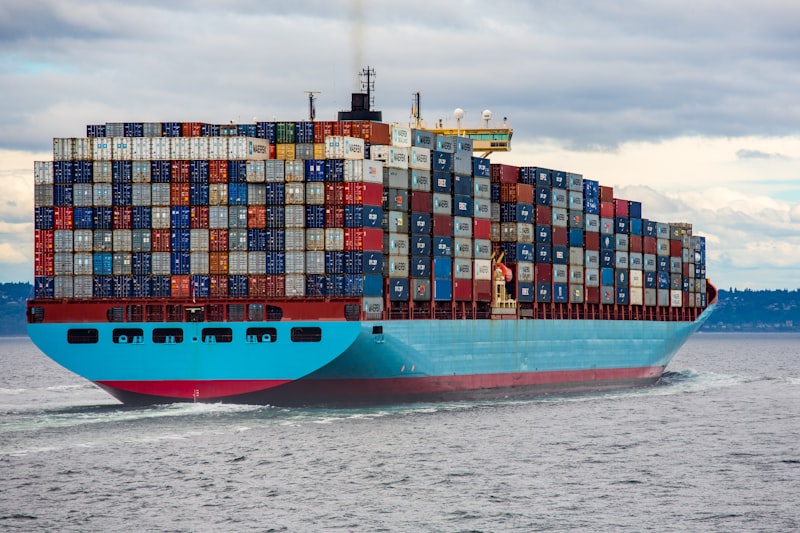
<p><img src="https://levihuff.net/images/aeroassist/containers.jpg" alt="Docker containers and server deployment" /></p>
<h2 id="why-docker" tabindex="-1">Why Docker? <a class="header-anchor" href="https://levihuff.net/#why-docker"><span aria-hidden="true">#</span><span class="sr-only">Permalink to this section</span></a></h2>
<p>Running AeroAssist previously required manual setup of .NET, SQL Server, and configuration of connection strings and environment variables. Docker solves these problems by packaging everything into containers that work consistently across different environments.</p>
<p>Benefits of containerizing AeroAssist:</p>
<ul>
<li><strong>Simplified deployment</strong>: One command to start the entire stack</li>
<li><strong>Consistent environments</strong>: Same setup works on any Docker host</li>
<li><strong>Isolation</strong>: Application and database run in separate containers</li>
<li><strong>Easy updates</strong>: Pull new images and restart</li>
<li><strong>Home lab friendly</strong>: Perfect for self-hosted environments</li>
</ul>
<h2 id="what-changed" tabindex="-1">What Changed <a class="header-anchor" href="https://levihuff.net/#what-changed"><span aria-hidden="true">#</span><span class="sr-only">Permalink to this section</span></a></h2>
<h3 id="configuration-enhancements" tabindex="-1">Configuration Enhancements <a class="header-anchor" href="https://levihuff.net/#configuration-enhancements"><span aria-hidden="true">#</span><span class="sr-only">Permalink to this section</span></a></h3>
<p>The application needed several changes to work properly in containerized environments:</p>
<ul>
<li><strong>Configurable HTTP client base URL</strong>: No longer hard-coded to localhost</li>
<li><strong>Certificate validation bypass</strong>: Configurable for development and internal networks</li>
<li><strong>CORS origins</strong>: Configurable via appsettings for different deployment scenarios</li>
<li><strong>Microsoft Account authentication</strong>: Can be enabled/disabled through configuration</li>
<li><strong>Swagger</strong>: Configurable for production environments</li>
<li><strong>HTTPS redirect</strong>: Can be disabled when running behind a reverse proxy</li>
</ul>
<p>These changes make AeroAssist flexible enough to run in various deployment configurations without code changes.</p>
<h3 id="dockerfile" tabindex="-1">Dockerfile <a class="header-anchor" href="https://levihuff.net/#dockerfile"><span aria-hidden="true">#</span><span class="sr-only">Permalink to this section</span></a></h3>
<p>The Dockerfile uses a multi-stage build for optimal image size and security:</p>
<pre class="language-dockerfile"><code class="language-dockerfile"><span class="token comment"># Build stage - uses .NET 8.0 SDK</span><br /><span class="token instruction"><span class="token keyword">FROM</span> mcr.microsoft.com/dotnet/sdk:8.0 <span class="token keyword">AS</span> build</span><br /><span class="token instruction"><span class="token keyword">WORKDIR</span> /src</span><br /><span class="token instruction"><span class="token keyword">COPY</span> . .</span><br /><span class="token instruction"><span class="token keyword">RUN</span> dotnet publish -c Release -o /app</span><br /><br /><span class="token comment"># Runtime stage - uses ASP.NET runtime</span><br /><span class="token instruction"><span class="token keyword">FROM</span> mcr.microsoft.com/dotnet/aspnet:8.0</span><br /><span class="token instruction"><span class="token keyword">WORKDIR</span> /app</span><br /><span class="token instruction"><span class="token keyword">COPY</span> <span class="token options"><span class="token property">--from</span><span class="token punctuation">=</span><span class="token string">build</span></span> /app .</span><br /><br /><span class="token comment"># Run as non-root user</span><br /><span class="token instruction"><span class="token keyword">USER</span> app</span><br /><span class="token instruction"><span class="token keyword">EXPOSE</span> 8080</span><br /><span class="token instruction"><span class="token keyword">HEALTHCHECK</span> <span class="token keyword">CMD</span> curl --fail http://localhost:8080/health || exit 1</span><br /><span class="token instruction"><span class="token keyword">ENTRYPOINT</span> [<span class="token string">"dotnet"</span>, <span class="token string">"AeroAssist.dll"</span>]</span></code></pre>
<p>Key features:</p>
<ul>
<li><strong>Multi-stage build</strong>: Keeps the final image small by excluding build tools</li>
<li><strong>Non-root user</strong>: Follows security best practices</li>
<li><strong>Health check</strong>: Enables container orchestrators to monitor application health</li>
<li><strong>Port 8080</strong>: Standard HTTP port for containerized <a href="http://asp.net/">ASP.NET</a> apps</li>
</ul>
<h3 id="docker-compose" tabindex="-1">Docker Compose <a class="header-anchor" href="https://levihuff.net/#docker-compose"><span aria-hidden="true">#</span><span class="sr-only">Permalink to this section</span></a></h3>
<p>The <code>docker-compose.yml</code> orchestrates the full application stack:</p>
<pre class="language-yaml"><code class="language-yaml"><span class="token key atrule">services</span><span class="token punctuation">:</span><br />  <span class="token key atrule">aeroassist</span><span class="token punctuation">:</span><br />    <span class="token key atrule">build</span><span class="token punctuation">:</span> .<br />    <span class="token key atrule">ports</span><span class="token punctuation">:</span><br />      <span class="token punctuation">-</span> <span class="token string">"8080:8080"</span><br />    <span class="token key atrule">environment</span><span class="token punctuation">:</span><br />      <span class="token punctuation">-</span> ASPNETCORE_ENVIRONMENT=Docker<br />      <span class="token punctuation">-</span> ConnectionStrings__DefaultConnection=$<span class="token punctuation">{</span>DB_CONNECTION_STRING<span class="token punctuation">}</span><br />    <span class="token key atrule">depends_on</span><span class="token punctuation">:</span><br />      <span class="token key atrule">db</span><span class="token punctuation">:</span><br />        <span class="token key atrule">condition</span><span class="token punctuation">:</span> service_healthy<br /><br />  <span class="token key atrule">db</span><span class="token punctuation">:</span><br />    <span class="token key atrule">image</span><span class="token punctuation">:</span> mcr.microsoft.com/mssql/server<span class="token punctuation">:</span>2022<span class="token punctuation">-</span>latest<br />    <span class="token key atrule">environment</span><span class="token punctuation">:</span><br />      <span class="token punctuation">-</span> ACCEPT_EULA=Y<br />      <span class="token punctuation">-</span> SA_PASSWORD=$<span class="token punctuation">{</span>SA_PASSWORD<span class="token punctuation">}</span><br />    <span class="token key atrule">volumes</span><span class="token punctuation">:</span><br />      <span class="token punctuation">-</span> sqldata<span class="token punctuation">:</span>/var/opt/mssql<br />    <span class="token key atrule">healthcheck</span><span class="token punctuation">:</span><br />      <span class="token key atrule">test</span><span class="token punctuation">:</span> /opt/mssql<span class="token punctuation">-</span>tools/bin/sqlcmd <span class="token punctuation">-</span>S localhost <span class="token punctuation">-</span>U sa <span class="token punctuation">-</span>P $<span class="token punctuation">{</span>SA_PASSWORD<span class="token punctuation">}</span> <span class="token punctuation">-</span>Q "SELECT 1"<br /><br /><span class="token key atrule">volumes</span><span class="token punctuation">:</span><br />  <span class="token key atrule">sqldata</span><span class="token punctuation">:</span></code></pre>
<p>This configuration provides:</p>
<ul>
<li><strong>SQL Server 2022</strong>: Relational database</li>
<li><strong>Health checks</strong>: Application waits for database to be ready</li>
<li><strong>Persistent volumes</strong>: Database data survives container restarts</li>
<li><strong>Bridge networking</strong>: Containers communicate on an isolated network</li>
<li><strong>Environment variables</strong>: Sensitive values loaded from <code>.env</code> file</li>
</ul>
<h3 id="supporting-files" tabindex="-1">Supporting Files <a class="header-anchor" href="https://levihuff.net/#supporting-files"><span aria-hidden="true">#</span><span class="sr-only">Permalink to this section</span></a></h3>
<p>Additional files included in this update:</p>
<ul>
<li><strong><code>.dockerignore</code></strong>: Excludes unnecessary files from the build context</li>
<li><strong><code>appsettings.Docker.json</code></strong>: Reference configuration for containerized deployments</li>
<li><strong><code>.env.example</code></strong>: Template for environment variables</li>
</ul>
<h2 id="quick-start" tabindex="-1">Quick Start <a class="header-anchor" href="https://levihuff.net/#quick-start"><span aria-hidden="true">#</span><span class="sr-only">Permalink to this section</span></a></h2>
<p><img src="https://levihuff.net/images/aeroassist/server-deployment.jpg" alt="Server infrastructure for containerized deployment" /></p>
<p>Getting AeroAssist running with Docker is now straightforward:</p>
<h3 id="using-docker-compose-recommended" tabindex="-1">Using Docker Compose (Recommended) <a class="header-anchor" href="https://levihuff.net/#using-docker-compose-recommended"><span aria-hidden="true">#</span><span class="sr-only">Permalink to this section</span></a></h3>
<pre class="language-bash"><code class="language-bash"><span class="token comment"># Clone the repository</span><br /><span class="token function">git</span> clone https://github.com/lh1207/AeroAssist.git<br /><span class="token builtin class-name">cd</span> AeroAssist<br /><br /><span class="token comment"># Copy environment template and configure</span><br /><span class="token function">cp</span> .env.example .env<br /><span class="token comment"># Edit .env with your settings</span><br /><br /><span class="token comment"># Start the stack</span><br /><span class="token function">docker</span> compose up <span class="token parameter variable">-d</span></code></pre>
<p>The application will be available at <code>http://localhost:8080</code> once both containers are healthy.</p>
<h3 id="using-standalone-docker" tabindex="-1">Using Standalone Docker <a class="header-anchor" href="https://levihuff.net/#using-standalone-docker"><span aria-hidden="true">#</span><span class="sr-only">Permalink to this section</span></a></h3>
<p>For environments with an existing database:</p>
<pre class="language-bash"><code class="language-bash"><span class="token comment"># Build the image</span><br /><span class="token function">docker</span> build <span class="token parameter variable">-t</span> aeroassist <span class="token builtin class-name">.</span><br /><br /><span class="token comment"># Run the container</span><br /><span class="token function">docker</span> run <span class="token parameter variable">-d</span> <span class="token punctuation">\</span><br />  <span class="token parameter variable">-p</span> <span class="token number">8080</span>:8080 <span class="token punctuation">\</span><br />  <span class="token parameter variable">-e</span> <span class="token assign-left variable">ConnectionStrings__DefaultConnection</span><span class="token operator">=</span><span class="token string">"your-connection-string"</span> <span class="token punctuation">\</span><br />  <span class="token parameter variable">-e</span> <span class="token assign-left variable">ASPNETCORE_ENVIRONMENT</span><span class="token operator">=</span>Docker <span class="token punctuation">\</span><br />  aeroassist</code></pre>
<h2 id="auto-migration" tabindex="-1">Auto-Migration <a class="header-anchor" href="https://levihuff.net/#auto-migration"><span aria-hidden="true">#</span><span class="sr-only">Permalink to this section</span></a></h2>
<p>The containerized deployment includes automatic database migration. When the application starts, it checks for pending migrations and applies them. This eliminates the need for manual migration steps during deployment or updates.</p>
<h2 id="configuration-reference" tabindex="-1">Configuration Reference <a class="header-anchor" href="https://levihuff.net/#configuration-reference"><span aria-hidden="true">#</span><span class="sr-only">Permalink to this section</span></a></h2>
<p>Key environment variables for Docker deployments:</p>
<table>
<thead>
<tr>
<th>Variable</th>
<th>Description</th>
</tr>
</thead>
<tbody>
<tr>
<td><code>ConnectionStrings__DefaultConnection</code></td>
<td>SQL Server connection string</td>
</tr>
<tr>
<td><code>ASPNETCORE_ENVIRONMENT</code></td>
<td>Set to <code>Docker</code> for containerized config</td>
</tr>
<tr>
<td><code>Auth__MicrosoftAccount__Enabled</code></td>
<td>Enable/disable Microsoft auth</td>
</tr>
<tr>
<td><code>Cors__Origins</code></td>
<td>Allowed CORS origins</td>
</tr>
<tr>
<td><code>Swagger__Enabled</code></td>
<td>Enable Swagger in production</td>
</tr>
<tr>
<td><code>HttpsRedirect__Enabled</code></td>
<td>Enable/disable HTTPS redirect</td>
</tr>
</tbody>
</table>
<h2 id="technical-considerations" tabindex="-1">Technical Considerations <a class="header-anchor" href="https://levihuff.net/#technical-considerations"><span aria-hidden="true">#</span><span class="sr-only">Permalink to this section</span></a></h2>
<h3 id="running-behind-a-reverse-proxy" tabindex="-1">Running Behind a Reverse Proxy <a class="header-anchor" href="https://levihuff.net/#running-behind-a-reverse-proxy"><span aria-hidden="true">#</span><span class="sr-only">Permalink to this section</span></a></h3>
<p>When running AeroAssist behind a reverse proxy like Nginx or Traefik:</p>
<ol>
<li>Disable HTTPS redirect in the application (the proxy handles TLS)</li>
<li>Configure CORS origins to match your domain</li>
<li>Set up proper forwarded headers if needed</li>
</ol>
<h3 id="database-persistence" tabindex="-1">Database Persistence <a class="header-anchor" href="https://levihuff.net/#database-persistence"><span aria-hidden="true">#</span><span class="sr-only">Permalink to this section</span></a></h3>
<p>The Docker Compose configuration uses a named volume (<code>sqldata</code>) for database persistence. This ensures data survives container restarts and updates. For production, consider:</p>
<ul>
<li>Regular database backups</li>
<li>Volume backup strategies</li>
<li>External SQL Server for critical deployments</li>
</ul>
<h2 id="learning-outcomes" tabindex="-1">Learning Outcomes <a class="header-anchor" href="https://levihuff.net/#learning-outcomes"><span aria-hidden="true">#</span><span class="sr-only">Permalink to this section</span></a></h2>
<p>Adding Docker support to AeroAssist provided experience with:</p>
<ul>
<li>Multi-stage Docker builds for .NET applications</li>
<li>Docker Compose for multi-container applications</li>
<li>Configuration management for containerized environments</li>
<li>Container security best practices</li>
<li>Health checks and container orchestration</li>
</ul>
<h2 id="conclusion" tabindex="-1">Conclusion <a class="header-anchor" href="https://levihuff.net/#conclusion"><span aria-hidden="true">#</span><span class="sr-only">Permalink to this section</span></a></h2>
<p>Docker support makes AeroAssist much more accessible for home lab users and simplifies deployment in any containerized environment. The combination of Docker Compose, configurable settings, and auto-migration means you can have a full ticketing system running in minutes rather than hours.</p>
<p>For more details, check out the <a href="https://github.com/lh1207/AeroAssist/pull/37">pull request</a> or the <a href="https://github.com/lh1207/AeroAssist">AeroAssist repository</a>.</p>
]]></content>
  </entry>
  <entry>
    <title>IT Support at Tire Discounters</title>
    <link href="https://levihuff.net/blog/tire-discounters-it-support/"/>
    <updated>2025-03-15T00:00:00Z</updated>
    <id>https://levihuff.net/blog/tire-discounters-it-support/</id>
    
    <summary>How I provided IT support across Cincinnati and Sharonville, cleared a backlogged ticket queue, improved employee onboarding documentation, and built a new MDT image with automated Lenovo driver installation and domain enrollment</summary>
    
    <content type="html"><![CDATA[<p><img src="https://levihuff.net/images/blog/onboarding-hero.jpg" alt="Professional reviewing process documentation in office environment" /></p>
<p>My role at Tire Discounters was a meaningful step in my professional development, not just technically, but in terms of understanding what a structured corporate IT environment looks and feels like. This post covers the full scope of that work: the support model across locations, clearing a backlogged ticketing system, improving the employee onboarding process, and building a new MDT image that automated Lenovo driver installation and domain controller enrollment.</p>
<h2 id="a-different-kind-of-professional-environment" tabindex="-1">A Different Kind of Professional Environment <a class="header-anchor" href="https://levihuff.net/#a-different-kind-of-professional-environment"><span aria-hidden="true">#</span><span class="sr-only">Permalink to this section</span></a></h2>
<p>Coming from experience in a logistics brokerage environment, Tire Discounters was a notable shift in workplace culture. Brokerage environments tend to be high-energy and fast-moving by nature, which has real value, but the pace and culture of those settings can differ significantly from a more traditional corporate office. Tire Discounters gave me the opportunity to develop within a more structured, formal professional setting, one where measured communication, consistent processes, and a composed approach to problem-solving were the standard. That experience shaped how I carry myself in professional contexts and gave me a clearer sense of how to adapt to different workplace cultures.</p>
<h2 id="supporting-multiple-locations" tabindex="-1">Supporting Multiple Locations <a class="header-anchor" href="https://levihuff.net/#supporting-multiple-locations"><span aria-hidden="true">#</span><span class="sr-only">Permalink to this section</span></a></h2>
<p>Tire Discounters has locations across the Midwest, and the IT support model reflected that geographic spread. My primary base was the main office in Cincinnati, with on-site visits to the Sharonville location when tasks required physical presence. Support for other locations was handled remotely over the phone, which meant being able to diagnose and walk users through issues clearly without being in the room, a skill that requires patience and precise communication.</p>
<p>Each location had its own day-to-day needs, and balancing on-site work with remote support meant staying organized about what required a physical visit versus what could be resolved with a phone call.</p>
<h2 id="clearing-the-ticketing-system" tabindex="-1">Clearing the Ticketing System <a class="header-anchor" href="https://levihuff.net/#clearing-the-ticketing-system"><span aria-hidden="true">#</span><span class="sr-only">Permalink to this section</span></a></h2>
<p>One of the significant challenges I tackled was a backlogged ticketing system. When tickets accumulate without resolution, it creates a compounding problem: new issues get buried under old ones, users lose confidence in the support process, and it becomes harder to prioritize what actually needs attention first.</p>
<p>My approach to working down the backlog involved:</p>
<ul>
<li><strong>Triaging tickets</strong> to identify which issues were blocking users versus which could be batched or handled in parallel</li>
<li><strong>Handling tasks on-site when needed</strong>, since some tickets required physical presence to resolve</li>
<li><strong>Closing out stale tickets</strong> that had been resolved informally but never marked complete, which cleared noise from the queue</li>
<li><strong>Working systematically through the remaining items</strong> to get the backlog to a manageable state</li>
</ul>
<p>Getting the queue cleared wasn’t just about closing numbers. It was about restoring a reliable support process that users could trust.</p>
<h2 id="improving-employee-onboarding" tabindex="-1">Improving Employee Onboarding <a class="header-anchor" href="https://levihuff.net/#improving-employee-onboarding"><span aria-hidden="true">#</span><span class="sr-only">Permalink to this section</span></a></h2>
<p>Beyond ticket support, I identified opportunities to improve the employee onboarding workflow. The existing process had multiple manual steps and unclear transitions between systems, which caused delays in getting new hires up and running. I worked on documenting and streamlining that process, which involved:</p>
<ol>
<li><strong>Process Mapping</strong>: Documenting each step from initial hire through system access provisioning</li>
<li><strong>System Analysis</strong>: Identifying all systems involved in the onboarding workflow</li>
<li><strong>Handoff Documentation</strong>: Clarifying responsibilities and transition points between departments</li>
<li><strong>Redundancy Identification</strong>: Finding steps where duplicate data entry could be reduced</li>
</ol>
<p>The documentation served as a reference for those running the process and helped make onboarding more consistent across departments. New hires were able to reach readiness more quickly once the steps were clearly defined and the handoff points were explicit.</p>
<h2 id="building-a-new-mdt-image" tabindex="-1">Building a New MDT Image <a class="header-anchor" href="https://levihuff.net/#building-a-new-mdt-image"><span aria-hidden="true">#</span><span class="sr-only">Permalink to this section</span></a></h2>
<p>The most impactful technical project I completed at Tire Discounters was building a new Microsoft Deployment Toolkit (MDT) image for Windows device deployment. The goal was to eliminate the manual steps that had been slowing down the provisioning process, particularly around driver installation and domain enrollment. The new image also served as the upgrade path to Windows 11, bringing the fleet up to the current OS standard as part of the same deployment process.</p>
<h3 id="the-problem-with-the-existing-process" tabindex="-1">The Problem with the Existing Process <a class="header-anchor" href="https://levihuff.net/#the-problem-with-the-existing-process"><span aria-hidden="true">#</span><span class="sr-only">Permalink to this section</span></a></h3>
<p>Before the new image, deploying a new Lenovo workstation involved manually handling driver installation after imaging, a time-consuming step that was also prone to inconsistency. Domain controller enrollment was similarly a manual step that had to be completed separately. These gaps meant that a freshly imaged machine still required significant hands-on work before it was ready for a user.</p>
<h3 id="automating-lenovo-driver-installation" tabindex="-1">Automating Lenovo Driver Installation <a class="header-anchor" href="https://levihuff.net/#automating-lenovo-driver-installation"><span aria-hidden="true">#</span><span class="sr-only">Permalink to this section</span></a></h3>
<p>Lenovo publishes driver packages through their commercial support channels, and MDT provides mechanisms to integrate driver injection directly into the deployment task sequence. I built out the driver repository within MDT and configured the task sequence to automatically detect and apply the correct Lenovo drivers during deployment. This meant that after imaging, the machine had the appropriate drivers for its hardware without any manual intervention.</p>
<p>Getting driver injection right requires attention to detail:</p>
<ul>
<li>Drivers need to be organized so MDT can match them to the correct hardware model</li>
<li>The task sequence needs to be structured so driver injection happens at the right point in the deployment process</li>
<li>Testing against actual hardware is essential; driver issues often only surface when you run the image on real machines</li>
</ul>
<h3 id="automating-domain-controller-enrollment" tabindex="-1">Automating Domain Controller Enrollment <a class="header-anchor" href="https://levihuff.net/#automating-domain-controller-enrollment"><span aria-hidden="true">#</span><span class="sr-only">Permalink to this section</span></a></h3>
<p>I also integrated automatic domain enrollment into the deployment task sequence. Rather than requiring an administrator to manually join each machine to the domain after imaging, the process handled it automatically during deployment. This involved configuring the MDT task sequence with the appropriate domain join credentials and settings so the machine came up already enrolled and ready to apply group policies.</p>
<h3 id="the-result" tabindex="-1">The Result <a class="header-anchor" href="https://levihuff.net/#the-result"><span aria-hidden="true">#</span><span class="sr-only">Permalink to this section</span></a></h3>
<p>With the new image in place, deploying a Lenovo workstation went from a multi-step process with significant manual involvement to a largely automated deployment. The machine would come off the imaging process with correct drivers installed, joined to the domain, on Windows 11, and ready for user setup. This reduced the time required per machine and eliminated a class of deployment errors that had been occurring with the previous approach.</p>
<h2 id="key-takeaways" tabindex="-1">Key Takeaways <a class="header-anchor" href="https://levihuff.net/#key-takeaways"><span aria-hidden="true">#</span><span class="sr-only">Permalink to this section</span></a></h2>
<ol>
<li><strong>Professional environment shapes professional habits</strong>: Adapting to a formal corporate culture is a skill in itself, and one worth developing deliberately</li>
<li><strong>Remote support demands clear communication</strong>: Resolving issues over the phone requires being precise and patient in a way that on-site work does not</li>
<li><strong>A healthy ticket queue requires active management</strong>: Letting tickets accumulate creates a harder problem than dealing with them consistently</li>
<li><strong>Documentation is foundational</strong>: Clear process documentation reduces ambiguity and makes handoffs consistent</li>
<li><strong>Automation in MDT pays off at scale</strong>: The upfront work of building a reliable image eliminates recurring manual effort across every subsequent deployment</li>
</ol>
<h2 id="conclusion" tabindex="-1">Conclusion <a class="header-anchor" href="https://levihuff.net/#conclusion"><span aria-hidden="true">#</span><span class="sr-only">Permalink to this section</span></a></h2>
<p>Tire Discounters was formative in ways that went beyond any single task. Supporting a distributed user base, clearing a backlogged queue, documenting the onboarding process, and building a deployment image that meaningfully improved provisioning all contributed to a well-rounded view of what IT support looks like in a professional corporate environment. It also reinforced that technical skills and professional conduct go hand in hand, and both matter.</p>
]]></content>
  </entry>
  <entry>
    <title>Culinary Mastery - Building an Educational Cooking Platform</title>
    <link href="https://levihuff.net/blog/culinary-mastery-educational-cooking-app/"/>
    <updated>2025-01-20T00:00:00Z</updated>
    <id>https://levihuff.net/blog/culinary-mastery-educational-cooking-app/</id>
    
    <summary>A senior design project creating an accessible educational app for teaching foundational cooking skills through video tutorials and interactive learning</summary>
    
    <content type="html"><![CDATA[<p>Culinary Mastery is a web-based educational app that teaches foundational cooking skills through video tutorials, interactive quizzes, and personalized learning paths. I worked on this as part of the University of Cincinnati Senior Design program. The project fills a gap in accessible cooking education by using modern web technologies with secure backend services.</p>
<p><img src="https://levihuff.net/images/culinary-mastery/hero-kitchen.jpg" alt="Tablet displaying cooking tutorial video on kitchen counter with fresh ingredients" /></p>
<h2 id="project-overview" tabindex="-1">Project Overview <a class="header-anchor" href="https://levihuff.net/#project-overview"><span aria-hidden="true">#</span><span class="sr-only">Permalink to this section</span></a></h2>
<p>I worked on this with Senior Design Group 7 at the University of Cincinnati during Fall 2024 and Spring 2025. The project creates a learning platform that goes beyond recipes, teaching fundamental techniques, safety practices, and cooking vocabulary.</p>
<p><strong>Repository:</strong> <a href="https://github.com/24-25-UC-Senior-Design-Group-7/Culinary-Mastery">Culinary Mastery on GitHub</a><br />
<strong>IT Expo 2025:</strong> <a href="https://itexpo.live/2025/seniors/280">Featured Project - Team 7</a></p>
<h2 id="it-expo-2025-recognition" tabindex="-1">IT Expo 2025 Recognition <a class="header-anchor" href="https://levihuff.net/#it-expo-2025-recognition"><span aria-hidden="true">#</span><span class="sr-only">Permalink to this section</span></a></h2>
<p>Culinary Mastery was featured at the University of Cincinnati IT Expo 2025, where it was presented as Team 7’s senior design project in the “Everyday Living Innovations” category. The IT Expo showcases innovative technology projects developed by students, providing an opportunity to present work to industry professionals, faculty, and peers.</p>
<p>At IT Expo, we presented how the app tackles real problems people face when learning to cook. As noted in the <a href="https://itexpo.live/2025/seniors/280">IT Expo abstract</a>, users often struggle with cooking terms (like “sear”) and worry about produce going bad. The app helps users learn the skills, vocabulary, and ingredient knowledge they need to cook confidently at home.</p>
<p>At IT Expo, we showed the technical work, user experience design, and how it could help people feel more confident cooking and eat better. Being featured there shows the project successfully combined solid technical work with solving real problems.</p>
<h2 id="the-problem" tabindex="-1">The Problem <a class="header-anchor" href="https://levihuff.net/#the-problem"><span aria-hidden="true">#</span><span class="sr-only">Permalink to this section</span></a></h2>
<p><img src="https://levihuff.net/images/culinary-mastery/ingredients.jpg" alt="Fresh cooking ingredients" /></p>
<p>Research indicates that many people, particularly young adults, lack confidence in cooking. Studies show that only about 62.5% of students feel capable of preparing meals from basic ingredients. As highlighted in the <a href="https://itexpo.live/2025/seniors/280">IT Expo presentation</a>, test groups frequently reported concerns about:</p>
<ul>
<li>Not understanding cooking terminology used in recipes (e.g., terms like “sear”)</li>
<li>Produce wasting too quickly, leading to financial concerns</li>
<li>Feeling that cooking results in wasted money and wasted time</li>
<li>Lack of confidence in cooking techniques and ingredient knowledge</li>
</ul>
<p>Existing learning resources often have poor video quality, weak security, limited accessibility, or aren’t very interactive. We built Culinary Mastery to fix these issues and make it useful for people from different backgrounds, including cooking techniques from around the world.</p>
<p>Culinary Mastery helps by providing:</p>
<ul>
<li>High-quality video content through YouTube API integration</li>
<li>Secure data storage and user authentication</li>
<li>Comprehensive accessibility features</li>
<li>Interactive learning experiences with quizzes and progress tracking</li>
</ul>
<h2 id="technical-architecture" tabindex="-1">Technical Architecture <a class="header-anchor" href="https://levihuff.net/#technical-architecture"><span aria-hidden="true">#</span><span class="sr-only">Permalink to this section</span></a></h2>
<h3 id="frontend" tabindex="-1">Frontend <a class="header-anchor" href="https://levihuff.net/#frontend"><span aria-hidden="true">#</span><span class="sr-only">Permalink to this section</span></a></h3>
<ul>
<li><strong>React Native</strong>: Cross-platform mobile and web application development</li>
<li><strong>Responsive Design</strong>: Ensures usability across devices and screen sizes</li>
<li><strong>Accessibility Features</strong>: Screen reader compatibility, high-contrast themes, multilingual support</li>
</ul>
<h3 id="backend" tabindex="-1">Backend <a class="header-anchor" href="https://levihuff.net/#backend"><span aria-hidden="true">#</span><span class="sr-only">Permalink to this section</span></a></h3>
<ul>
<li><strong>Node.js</strong>: Server-side development and API services</li>
<li><strong>Azure Cosmos DB</strong>: Scalable NoSQL database for user data and course content</li>
<li><strong>Azure Blob Storage</strong>: Secure storage for video files and media assets</li>
<li><strong>Firebase &amp; Azure Authentication</strong>: Secure user authentication with two-factor authentication (2FA) support</li>
</ul>
<h3 id="api-integration" tabindex="-1">API Integration <a class="header-anchor" href="https://levihuff.net/#api-integration"><span aria-hidden="true">#</span><span class="sr-only">Permalink to this section</span></a></h3>
<ul>
<li><strong>YouTube API</strong>: Video hosting and streaming for tutorial content - videos are selected for quality and accuracy</li>
<li><strong>AI/LLM Integration</strong>: Backend integration with AI services for generating written explanations and translations. This was included to learn how AI is being integrated into modern workflows, understand practical use cases, and explore how Azure handles AI services. The AI functionality is completely backend; users don’t interact with it directly, and it’s not marketed as an “AI feature.”</li>
</ul>
<h2 id="key-features" tabindex="-1">Key Features <a class="header-anchor" href="https://levihuff.net/#key-features"><span aria-hidden="true">#</span><span class="sr-only">Permalink to this section</span></a></h2>
<p><img src="https://levihuff.net/images/culinary-mastery/video-learning.jpg" alt="Video-based learning interface" /></p>
<h3 id="video-based-learning" tabindex="-1">Video-Based Learning <a class="header-anchor" href="https://levihuff.net/#video-based-learning"><span aria-hidden="true">#</span><span class="sr-only">Permalink to this section</span></a></h3>
<p>The app uses the YouTube API to deliver video tutorials. Each course includes:</p>
<ul>
<li>Step-by-step instructional videos</li>
<li>Closed captions and subtitles for accessibility</li>
<li>Vocabulary and technique explanations</li>
<li>Safety information and best practices</li>
</ul>
<h3 id="interactive-learning-components" tabindex="-1">Interactive Learning Components <a class="header-anchor" href="https://levihuff.net/#interactive-learning-components"><span aria-hidden="true">#</span><span class="sr-only">Permalink to this section</span></a></h3>
<ul>
<li><strong>Quizzes</strong>: Assessment tools to reinforce learning</li>
<li><strong>Progress Tracking</strong>: User progress monitoring across courses</li>
<li><strong>Personalized Feedback</strong>: Adaptive learning paths based on user performance</li>
<li><strong>Community Features</strong>: Forums for user interaction and knowledge sharing</li>
</ul>
<h3 id="security-and-accessibility" tabindex="-1">Security and Accessibility <a class="header-anchor" href="https://levihuff.net/#security-and-accessibility"><span aria-hidden="true">#</span><span class="sr-only">Permalink to this section</span></a></h3>
<p>The project implements comprehensive security measures:</p>
<ul>
<li>Encryption for user data protection</li>
<li>Compliance with GDPR and CCPA regulations</li>
<li>Following OWASP, NIST, and CISA security best practices</li>
<li>Two-factor authentication support</li>
</ul>
<p>Accessibility features include:</p>
<ul>
<li>Screen reader compatibility</li>
<li>High-contrast themes</li>
<li>Multilingual support</li>
<li>Alternative text for images</li>
<li>Keyboard navigation support</li>
</ul>
<h2 id="my-contributions" tabindex="-1">My Contributions <a class="header-anchor" href="https://levihuff.net/#my-contributions"><span aria-hidden="true">#</span><span class="sr-only">Permalink to this section</span></a></h2>
<p>As a member of the software application development team (alongside Guy-Leroc Ossebi and Jackson Pinchot), my contributions included:</p>
<h3 id="development-responsibilities" tabindex="-1">Development Responsibilities <a class="header-anchor" href="https://levihuff.net/#development-responsibilities"><span aria-hidden="true">#</span><span class="sr-only">Permalink to this section</span></a></h3>
<ul>
<li><strong>Frontend Development</strong>: Building user interface components for video playback, course navigation, and interactive elements</li>
<li><strong>Backend Integration</strong>: Configuring Node.js services and integrating with Azure cloud services</li>
<li><strong>API Integration</strong>: Implementing YouTube API integration for video content delivery</li>
<li><strong>Database Design</strong>: Contributing to data modeling and Azure Cosmos DB schema design</li>
</ul>
<h3 id="collaboration-and-planning" tabindex="-1">Collaboration and Planning <a class="header-anchor" href="https://levihuff.net/#collaboration-and-planning"><span aria-hidden="true">#</span><span class="sr-only">Permalink to this section</span></a></h3>
<ul>
<li>Participating in Agile/Scrum development methodology with two-week sprints</li>
<li>Contributing to UI/UX design decisions and wireframing</li>
<li>Collaborating on content creation and course structure</li>
<li>Participating in code reviews and quality assurance</li>
</ul>
<h3 id="technical-implementation" tabindex="-1">Technical Implementation <a class="header-anchor" href="https://levihuff.net/#technical-implementation"><span aria-hidden="true">#</span><span class="sr-only">Permalink to this section</span></a></h3>
<ul>
<li>Implementing responsive design patterns for cross-device compatibility</li>
<li>Ensuring accessibility standards are met throughout the application</li>
<li>Contributing to authentication and security implementation</li>
<li>Optimizing video streaming and content delivery</li>
<li>Integrating AI/LLM services in the backend to learn current technology trends and understand how AI fits into real-world applications</li>
</ul>
<h2 id="development-timeline" tabindex="-1">Development Timeline <a class="header-anchor" href="https://levihuff.net/#development-timeline"><span aria-hidden="true">#</span><span class="sr-only">Permalink to this section</span></a></h2>
<p>The project followed an Agile development methodology with structured sprints:</p>
<h3 id="fall-2024" tabindex="-1">Fall 2024 <a class="header-anchor" href="https://levihuff.net/#fall-2024"><span aria-hidden="true">#</span><span class="sr-only">Permalink to this section</span></a></h3>
<ul>
<li>Brainstorming and planning phases</li>
<li>UI/UX design and wireframing</li>
<li>Prototyping and initial development</li>
<li>Deployment preparation</li>
</ul>
<h3 id="spring-2025" tabindex="-1">Spring 2025 <a class="header-anchor" href="https://levihuff.net/#spring-2025"><span aria-hidden="true">#</span><span class="sr-only">Permalink to this section</span></a></h3>
<ul>
<li>Continued development and feature implementation</li>
<li>IT Expo preparation and presentation</li>
<li>Final development sprints</li>
<li>Project completion and documentation</li>
</ul>
<h2 id="ai-integration-and-learning-objectives" tabindex="-1">AI Integration and Learning Objectives <a class="header-anchor" href="https://levihuff.net/#ai-integration-and-learning-objectives"><span aria-hidden="true">#</span><span class="sr-only">Permalink to this section</span></a></h2>
<p>We decided to include AI/LLM integration in the backend for several reasons:</p>
<h3 id="why-include-ai" tabindex="-1">Why Include AI? <a class="header-anchor" href="https://levihuff.net/#why-include-ai"><span aria-hidden="true">#</span><span class="sr-only">Permalink to this section</span></a></h3>
<p>AI is becoming part of daily workflows across many industries. Rather than treating it as a marketing buzzword, we wanted to learn how to actually integrate AI into real projects. The decision was based on:</p>
<ul>
<li><strong>Current Technology Trends</strong>: AI and LLMs are increasingly common in software development, and understanding them is becoming essential</li>
<li><strong>Practical Learning</strong>: We wanted hands-on experience with AI integration, not just theory</li>
<li><strong>Backend Implementation</strong>: The AI functionality is completely backend; users never see or interact with it directly. It’s not advertised as an “AI-powered” feature</li>
<li><strong>Azure AI Services</strong>: Learning how Azure handles AI services and what tools are available</li>
<li><strong>Use Case Exploration</strong>: Understanding when and how AI makes sense in applications</li>
</ul>
<p>The AI integration handles tasks like generating written explanations and translations behind the scenes. This approach let us learn about AI integration, explore practical use cases, and understand how cloud platforms like Azure support AI services, all while keeping the user experience focused on learning to cook, not on AI features.</p>
<h2 id="challenges-and-solutions" tabindex="-1">Challenges and Solutions <a class="header-anchor" href="https://levihuff.net/#challenges-and-solutions"><span aria-hidden="true">#</span><span class="sr-only">Permalink to this section</span></a></h2>
<h3 id="video-content-delivery" tabindex="-1">Video Content Delivery <a class="header-anchor" href="https://levihuff.net/#video-content-delivery"><span aria-hidden="true">#</span><span class="sr-only">Permalink to this section</span></a></h3>
<p><strong>Challenge</strong>: Ensuring reliable video streaming with good performance across different network conditions.</p>
<p><strong>Solution</strong>: Using the YouTube API for content delivery, which handles streaming and CDN capabilities for us.</p>
<h3 id="scalable-data-storage" tabindex="-1">Scalable Data Storage <a class="header-anchor" href="https://levihuff.net/#scalable-data-storage"><span aria-hidden="true">#</span><span class="sr-only">Permalink to this section</span></a></h3>
<p><strong>Challenge</strong>: Designing a database schema that can scale with growing user base and content library.</p>
<p><strong>Solution</strong>: Using Azure Cosmos DB, which can scale horizontally and distribute data globally.</p>
<h3 id="security-and-compliance" tabindex="-1">Security and Compliance <a class="header-anchor" href="https://levihuff.net/#security-and-compliance"><span aria-hidden="true">#</span><span class="sr-only">Permalink to this section</span></a></h3>
<p><strong>Challenge</strong>: Implementing comprehensive security measures while maintaining user experience.</p>
<p><strong>Solution</strong>: Following best practices from OWASP, NIST, and CISA, including encryption, secure authentication, and compliance with data protection regulations.</p>
<h2 id="technologies-and-tools" tabindex="-1">Technologies and Tools <a class="header-anchor" href="https://levihuff.net/#technologies-and-tools"><span aria-hidden="true">#</span><span class="sr-only">Permalink to this section</span></a></h2>
<ul>
<li><strong>Languages</strong>: JavaScript, HTML, CSS</li>
<li><strong>Frameworks</strong>: React Native, Node.js</li>
<li><strong>Cloud Services</strong>: Azure Cosmos DB, Azure Blob Storage, Azure Authentication, Azure AI services</li>
<li><strong>APIs</strong>: YouTube API, AI/LLM APIs (backend integration)</li>
<li><strong>Authentication</strong>: Firebase, Azure Authentication</li>
<li><strong>Development Tools</strong>: Git, GitHub, ESLint</li>
</ul>
<h2 id="project-impact" tabindex="-1">Project Impact <a class="header-anchor" href="https://levihuff.net/#project-impact"><span aria-hidden="true">#</span><span class="sr-only">Permalink to this section</span></a></h2>
<p>Culinary Mastery aims to:</p>
<ul>
<li>Increase cooking confidence among users</li>
<li>Improve dietary outcomes through better cooking skills</li>
<li>Provide accessible learning resources for diverse audiences</li>
<li>Support continuous learning and skill development</li>
</ul>
<h2 id="lessons-learned" tabindex="-1">Lessons Learned <a class="header-anchor" href="https://levihuff.net/#lessons-learned"><span aria-hidden="true">#</span><span class="sr-only">Permalink to this section</span></a></h2>
<p>This project provided valuable experience in:</p>
<ul>
<li>Full-stack development across frontend and backend</li>
<li>Cloud service integration and management</li>
<li>API integration and third-party service utilization</li>
<li>Backend AI/LLM integration and understanding practical use cases</li>
<li>How Azure handles AI services and what tools are available</li>
<li>Accessibility implementation in web applications</li>
<li>Agile development methodology and team collaboration</li>
<li>Security best practices in application development</li>
</ul>
<h2 id="future-enhancements" tabindex="-1">Future Enhancements <a class="header-anchor" href="https://levihuff.net/#future-enhancements"><span aria-hidden="true">#</span><span class="sr-only">Permalink to this section</span></a></h2>
<p>Potential future improvements include:</p>
<ul>
<li>Expanded course content and tutorial library</li>
<li>Enhanced multilingual support</li>
<li>Further exploration of backend AI use cases</li>
<li>Community features and user-generated content</li>
<li>Mobile app optimization and offline capabilities</li>
<li>Integration with nutrition tracking and meal planning</li>
</ul>
<h2 id="conclusion" tabindex="-1">Conclusion <a class="header-anchor" href="https://levihuff.net/#conclusion"><span aria-hidden="true">#</span><span class="sr-only">Permalink to this section</span></a></h2>
<p>Culinary Mastery combines modern web development with accessibility, security, and good user experience. The project let me apply full-stack development skills to build an educational platform.</p>
<p>Working on this senior design project taught me a lot about working on a team, using cloud services, and building apps that solve real problems. One of the most valuable aspects was learning how to integrate AI/LLM services in the backend, not as a marketing feature, but as a practical tool. Understanding how Azure handles AI services, exploring real use cases, and implementing AI integration helped me see how AI is becoming part of everyday development workflows. Focusing on accessibility and security from the start reinforced how important inclusive design and secure development are.</p>
<p>For more information about the project:</p>
<ul>
<li><a href="https://github.com/24-25-UC-Senior-Design-Group-7/Culinary-Mastery">Culinary Mastery repository on GitHub</a></li>
<li><a href="https://itexpo.live/2025/seniors/280">IT Expo 2025 project page</a></li>
</ul>
]]></content>
  </entry>
  <entry>
    <title>How This Site Works - Building with Eleventy and Node.js</title>
    <link href="https://levihuff.net/blog/how-this-site-works/"/>
    <updated>2025-01-19T00:00:00Z</updated>
    <id>https://levihuff.net/blog/how-this-site-works/</id>
    
    <summary>A technical overview of how levihuff.net is built using Eleventy (11ty) static site generator, Node.js, and automated deployment via GitHub Actions</summary>
    
    <content type="html"><![CDATA[<p>This site is built with Eleventy (11ty), a simple and flexible static site generator that runs on Node.js. I chose this approach for its speed, simplicity, and the ability to write content in Markdown while maintaining full control over the HTML output.</p>
<h2 id="why-a-static-site" tabindex="-1">Why a Static Site? <a class="header-anchor" href="https://levihuff.net/#why-a-static-site"><span aria-hidden="true">#</span><span class="sr-only">Permalink to this section</span></a></h2>
<p><img src="https://levihuff.net/images/blog/site-build-terminal.jpg" alt="Terminal showing Eleventy build process output" /></p>
<p>Static sites offer several advantages for a portfolio:</p>
<ul>
<li><strong>Fast load times</strong>: No server-side processing means pages load quickly</li>
<li><strong>Security</strong>: No database or server-side code to exploit</li>
<li><strong>Simple hosting</strong>: Static files can be hosted almost anywhere</li>
<li><strong>Version control</strong>: The entire site lives in a Git repository</li>
<li><strong>Low cost</strong>: No need for expensive hosting with server-side capabilities</li>
</ul>
<h2 id="the-technology-stack" tabindex="-1">The Technology Stack <a class="header-anchor" href="https://levihuff.net/#the-technology-stack"><span aria-hidden="true">#</span><span class="sr-only">Permalink to this section</span></a></h2>
<h3 id="nodejs" tabindex="-1">Node.js <a class="header-anchor" href="https://levihuff.net/#nodejs"><span aria-hidden="true">#</span><span class="sr-only">Permalink to this section</span></a></h3>
<p>Node.js serves as the runtime environment for the build process. The site uses Node.js 20 for building, though the output is plain HTML, CSS, and JavaScript that requires no server-side runtime.</p>
<p>The <code>package.json</code> is minimal:</p>
<pre class="language-json"><code class="language-json"><span class="token punctuation">{</span><br />  <span class="token property">"name"</span><span class="token operator">:</span> <span class="token string">"levihuff.net"</span><span class="token punctuation">,</span><br />  <span class="token property">"version"</span><span class="token operator">:</span> <span class="token string">"1.0.0"</span><span class="token punctuation">,</span><br />  <span class="token property">"scripts"</span><span class="token operator">:</span> <span class="token punctuation">{</span><br />    <span class="token property">"start"</span><span class="token operator">:</span> <span class="token string">"eleventy --serve"</span><span class="token punctuation">,</span><br />    <span class="token property">"build"</span><span class="token operator">:</span> <span class="token string">"eleventy"</span><span class="token punctuation">,</span><br />    <span class="token property">"watch"</span><span class="token operator">:</span> <span class="token string">"eleventy --watch"</span><br />  <span class="token punctuation">}</span><span class="token punctuation">,</span><br />  <span class="token property">"dependencies"</span><span class="token operator">:</span> <span class="token punctuation">{</span><br />    <span class="token property">"@11ty/eleventy"</span><span class="token operator">:</span> <span class="token string">"^2.0.1"</span><br />  <span class="token punctuation">}</span><br /><span class="token punctuation">}</span></code></pre>
<p>Three commands handle all development needs:</p>
<ul>
<li><code>npm start</code> - Runs a local dev server with live reload</li>
<li><code>npm run build</code> - Builds the production site</li>
<li><code>npm run watch</code> - Watches for changes without serving</li>
</ul>
<h3 id="eleventy-11ty" tabindex="-1">Eleventy (11ty) <a class="header-anchor" href="https://levihuff.net/#eleventy-11ty"><span aria-hidden="true">#</span><span class="sr-only">Permalink to this section</span></a></h3>
<p>Eleventy is the static site generator that transforms templates and content into HTML. It’s known for being zero-config by default while allowing extensive customization when needed.</p>
<p>Key features I use:</p>
<p><strong>Template Languages</strong>: The site uses Nunjucks (<code>.njk</code>) for layouts and page templates, and Markdown (<code>.md</code>) for blog posts. Eleventy processes both and outputs plain HTML.</p>
<p><strong>Collections</strong>: Blog posts are automatically collected from the <code>src/blog/</code> directory:</p>
<pre class="language-javascript"><code class="language-javascript">eleventyConfig<span class="token punctuation">.</span><span class="token function">addCollection</span><span class="token punctuation">(</span><span class="token string">"posts"</span><span class="token punctuation">,</span> <span class="token keyword">function</span> <span class="token punctuation">(</span><span class="token parameter">collectionApi</span><span class="token punctuation">)</span> <span class="token punctuation">{</span><br />  <span class="token keyword">return</span> collectionApi<span class="token punctuation">.</span><span class="token function">getFilteredByGlob</span><span class="token punctuation">(</span><span class="token string">"src/blog/**/*.md"</span><span class="token punctuation">)</span><span class="token punctuation">;</span><br /><span class="token punctuation">}</span><span class="token punctuation">)</span><span class="token punctuation">;</span></code></pre>
<p><strong>Custom Filters</strong>: Date formatting filters convert dates into readable formats:</p>
<pre class="language-javascript"><code class="language-javascript">eleventyConfig<span class="token punctuation">.</span><span class="token function">addFilter</span><span class="token punctuation">(</span><span class="token string">"dateReadable"</span><span class="token punctuation">,</span> <span class="token keyword">function</span> <span class="token punctuation">(</span><span class="token parameter">date</span><span class="token punctuation">)</span> <span class="token punctuation">{</span><br />  <span class="token keyword">return</span> <span class="token keyword">new</span> <span class="token class-name">Date</span><span class="token punctuation">(</span>date<span class="token punctuation">)</span><span class="token punctuation">.</span><span class="token function">toLocaleDateString</span><span class="token punctuation">(</span><span class="token string">"en-US"</span><span class="token punctuation">,</span> <span class="token punctuation">{</span><br />    <span class="token literal-property property">year</span><span class="token operator">:</span> <span class="token string">"numeric"</span><span class="token punctuation">,</span><br />    <span class="token literal-property property">month</span><span class="token operator">:</span> <span class="token string">"long"</span><span class="token punctuation">,</span><br />    <span class="token literal-property property">day</span><span class="token operator">:</span> <span class="token string">"numeric"</span><br />  <span class="token punctuation">}</span><span class="token punctuation">)</span><span class="token punctuation">;</span><br /><span class="token punctuation">}</span><span class="token punctuation">)</span><span class="token punctuation">;</span></code></pre>
<p><strong>Passthrough Copy</strong>: Static assets like CSS and images are copied directly to the output:</p>
<pre class="language-javascript"><code class="language-javascript">eleventyConfig<span class="token punctuation">.</span><span class="token function">addPassthroughCopy</span><span class="token punctuation">(</span><span class="token string">"src/images"</span><span class="token punctuation">)</span><span class="token punctuation">;</span><br />eleventyConfig<span class="token punctuation">.</span><span class="token function">addPassthroughCopy</span><span class="token punctuation">(</span><span class="token string">"src/css"</span><span class="token punctuation">)</span><span class="token punctuation">;</span></code></pre>
<h2 id="project-structure" tabindex="-1">Project Structure <a class="header-anchor" href="https://levihuff.net/#project-structure"><span aria-hidden="true">#</span><span class="sr-only">Permalink to this section</span></a></h2>
<pre><code>levihuff.net/
├── src/
│   ├── _layouts/        # Base templates (base.njk, post.njk)
│   ├── _includes/
│   │   └── components/  # Reusable components (nav.njk, footer.njk)
│   ├── blog/            # Markdown blog posts
│   ├── css/             # Stylesheets
│   ├── images/          # Static images
│   ├── index.njk        # Homepage
│   ├── about.njk        # About page
│   ├── projects.njk     # Projects page
│   └── contact.njk      # Contact page
├── _site/               # Built output (generated)
├── .eleventy.js         # Eleventy configuration
└── package.json         # Node.js dependencies
</code></pre>
<p>The <code>src/</code> directory contains all source files. Eleventy processes these and outputs the final site to <code>_site/</code>.</p>
<h2 id="how-pages-are-built" tabindex="-1">How Pages Are Built <a class="header-anchor" href="https://levihuff.net/#how-pages-are-built"><span aria-hidden="true">#</span><span class="sr-only">Permalink to this section</span></a></h2>
<h3 id="layouts" tabindex="-1">Layouts <a class="header-anchor" href="https://levihuff.net/#layouts"><span aria-hidden="true">#</span><span class="sr-only">Permalink to this section</span></a></h3>
<p>Every page uses a layout defined in frontmatter. The base layout (<code>base.njk</code>) provides the HTML structure, head tags, navigation, and footer. Blog posts use <code>post.njk</code>, which extends the base layout and adds post-specific elements like the title, date, tags, and author attribution.</p>
<h3 id="blog-posts" tabindex="-1">Blog Posts <a class="header-anchor" href="https://levihuff.net/#blog-posts"><span aria-hidden="true">#</span><span class="sr-only">Permalink to this section</span></a></h3>
<p>Blog posts are Markdown files with YAML frontmatter:</p>
<pre class="language-markdown"><code class="language-markdown"><span class="token front-matter-block"><span class="token punctuation">---</span><br /><span class="token front-matter yaml language-yaml"><span class="token key atrule">title</span><span class="token punctuation">:</span> Post Title<br /><span class="token key atrule">description</span><span class="token punctuation">:</span> A brief description<br /><span class="token key atrule">date</span><span class="token punctuation">:</span> <span class="token datetime number">2025-01-19</span><br /><span class="token key atrule">tags</span><span class="token punctuation">:</span> <span class="token punctuation">[</span>tag1<span class="token punctuation">,</span> tag2<span class="token punctuation">]</span><br /><span class="token key atrule">layout</span><span class="token punctuation">:</span> post.njk</span><br /><span class="token punctuation">---</span></span><br /><br />Post content in Markdown...</code></pre>
<p>Eleventy processes the Markdown into HTML and inserts it into the post layout. The <code>posts</code> collection makes all posts available for listing on the blog index page.</p>
<h3 id="css" tabindex="-1">CSS <a class="header-anchor" href="https://levihuff.net/#css"><span aria-hidden="true">#</span><span class="sr-only">Permalink to this section</span></a></h3>
<p>The site uses a single CSS file with CSS custom properties (variables) for consistent theming:</p>
<pre class="language-css"><code class="language-css"><span class="token selector">:root</span> <span class="token punctuation">{</span><br />  <span class="token property">--color-primary</span><span class="token punctuation">:</span> #004a7c<span class="token punctuation">;</span><br />  <span class="token property">--color-text</span><span class="token punctuation">:</span> #1a1a1a<span class="token punctuation">;</span><br />  <span class="token property">--space-md</span><span class="token punctuation">:</span> 1rem<span class="token punctuation">;</span><br />  <span class="token comment">/* ... */</span><br /><span class="token punctuation">}</span></code></pre>
<p>This approach keeps styling maintainable without requiring a CSS preprocessor or build step for styles.</p>
<h2 id="automated-deployment" tabindex="-1">Automated Deployment <a class="header-anchor" href="https://levihuff.net/#automated-deployment"><span aria-hidden="true">#</span><span class="sr-only">Permalink to this section</span></a></h2>
<p>The site deploys automatically when changes are pushed to the <code>main</code> branch. A GitHub Actions workflow handles the process:</p>
<ol>
<li><strong>Checkout</strong>: Pull the latest code</li>
<li><strong>Setup Node.js</strong>: Install Node.js 20</li>
<li><strong>Install dependencies</strong>: Run <code>npm ci</code></li>
<li><strong>Build</strong>: Run <code>npm run build</code> to generate <code>_site/</code></li>
<li><strong>Deploy</strong>: Upload <code>_site/</code> contents via FTP to the web host</li>
</ol>
<p>The workflow uses repository secrets for FTP credentials, keeping them secure while enabling automated deployment.</p>
<pre class="language-yaml"><code class="language-yaml"><span class="token punctuation">-</span> <span class="token key atrule">name</span><span class="token punctuation">:</span> Build project<br />  <span class="token key atrule">run</span><span class="token punctuation">:</span> npm run build<br /><br /><span class="token punctuation">-</span> <span class="token key atrule">name</span><span class="token punctuation">:</span> Upload to FTP<br />  <span class="token key atrule">uses</span><span class="token punctuation">:</span> SamKirkland/FTP<span class="token punctuation">-</span>Deploy<span class="token punctuation">-</span>Action@v4.3.5<br />  <span class="token key atrule">with</span><span class="token punctuation">:</span><br />    <span class="token key atrule">server</span><span class="token punctuation">:</span> $<br />    <span class="token key atrule">username</span><span class="token punctuation">:</span> $<br />    <span class="token key atrule">password</span><span class="token punctuation">:</span> $<br />    <span class="token key atrule">local-dir</span><span class="token punctuation">:</span> ./_site/</code></pre>
<h2 id="development-workflow" tabindex="-1">Development Workflow <a class="header-anchor" href="https://levihuff.net/#development-workflow"><span aria-hidden="true">#</span><span class="sr-only">Permalink to this section</span></a></h2>
<p>My typical workflow:</p>
<ol>
<li>Run <code>npm start</code> to start the local dev server</li>
<li>Edit templates, styles, or content</li>
<li>See changes instantly with live reload</li>
<li>Commit and push to <code>main</code></li>
<li>GitHub Actions builds and deploys automatically</li>
</ol>
<p>The entire process from edit to live takes just a couple of minutes, with most of that time being the FTP upload.</p>
<h2 id="why-eleventy" tabindex="-1">Why Eleventy? <a class="header-anchor" href="https://levihuff.net/#why-eleventy"><span aria-hidden="true">#</span><span class="sr-only">Permalink to this section</span></a></h2>
<p>I chose Eleventy over other static site generators for several reasons:</p>
<ul>
<li><strong>Simplicity</strong>: Minimal configuration needed to get started</li>
<li><strong>Flexibility</strong>: Works with multiple template languages</li>
<li><strong>Speed</strong>: Fast build times even with many pages</li>
<li><strong>No client-side JavaScript required</strong>: The output is pure HTML and CSS</li>
<li><strong>Active community</strong>: Good documentation and community support</li>
</ul>
<p>Other options like Jekyll, Hugo, or Next.js are also capable, but Eleventy’s Node.js foundation and straightforward approach fit my needs well.</p>
<h2 id="conclusion" tabindex="-1">Conclusion <a class="header-anchor" href="https://levihuff.net/#conclusion"><span aria-hidden="true">#</span><span class="sr-only">Permalink to this section</span></a></h2>
<p>This site demonstrates that a professional portfolio doesn’t require complex frameworks or heavy tooling. Eleventy and Node.js provide a simple, fast, and maintainable foundation. The automated deployment via GitHub Actions means I can focus on content rather than deployment processes.</p>
<p>The entire source code follows standard web technologies - HTML, CSS, and Markdown - making it easy to understand, modify, and maintain over time.</p>
]]></content>
  </entry>
  <entry>
    <title>AeroAssist - Full-Stack Ticketing System Development</title>
    <link href="https://levihuff.net/blog/aeroassist-ticketing-system/"/>
    <updated>2025-01-18T00:00:00Z</updated>
    <id>https://levihuff.net/blog/aeroassist-ticketing-system/</id>
    
    <summary>Building a comprehensive ticketing system using C#, ASP.NET, and MSSQL to streamline ticket creation, tracking, and management workflows</summary>
    
    <content type="html"><![CDATA[<p>AeroAssist is a full-stack ticketing system I built to streamline ticket creation, tracking, and management. I used C#, <a href="http://asp.net/">ASP.NET</a>, Bootstrap, and MSSQL to create a practical solution for managing support tickets.</p>
<p><strong>Repository:</strong> <a href="https://github.com/lh1207/AeroAssist">AeroAssist on GitHub</a></p>
<p><img src="https://levihuff.net/images/aeroassist/app.jpg" alt="AeroAssist Application Screenshot" /></p>
<h2 id="project-overview" tabindex="-1">Project Overview <a class="header-anchor" href="https://levihuff.net/#project-overview"><span aria-hidden="true">#</span><span class="sr-only">Permalink to this section</span></a></h2>
<p>Ticketing systems are essential tools for organizations to manage support requests, track issues, and maintain service quality. AeroAssist was developed to provide a comprehensive solution for ticket management, incorporating user management, workflow automation, and efficient data handling.</p>
<h2 id="the-problem" tabindex="-1">The Problem <a class="header-anchor" href="https://levihuff.net/#the-problem"><span aria-hidden="true">#</span><span class="sr-only">Permalink to this section</span></a></h2>
<p>Organizations often struggle with:</p>
<ul>
<li>Inefficient ticket creation and submission processes</li>
<li>Lack of visibility into ticket status and progress</li>
<li>Difficulty tracking ticket history and resolution</li>
<li>Manual workflow management</li>
<li>Inconsistent user experience across different departments</li>
</ul>
<p>AeroAssist solves these problems with a centralized, web-based platform for ticket management.</p>
<h2 id="technical-architecture" tabindex="-1">Technical Architecture <a class="header-anchor" href="https://levihuff.net/#technical-architecture"><span aria-hidden="true">#</span><span class="sr-only">Permalink to this section</span></a></h2>
<h3 id="frontend" tabindex="-1">Frontend <a class="header-anchor" href="https://levihuff.net/#frontend"><span aria-hidden="true">#</span><span class="sr-only">Permalink to this section</span></a></h3>
<ul>
<li><strong><a href="http://asp.net/">ASP.NET</a> MVC</strong>: Server-side rendering with Razor views</li>
<li><strong>Bootstrap</strong>: Responsive UI framework for consistent design</li>
<li><strong>HTML/CSS/JavaScript</strong>: Client-side interactivity and styling</li>
</ul>
<h3 id="backend" tabindex="-1">Backend <a class="header-anchor" href="https://levihuff.net/#backend"><span aria-hidden="true">#</span><span class="sr-only">Permalink to this section</span></a></h3>
<ul>
<li><strong>C#</strong>: Primary programming language for business logic</li>
<li><strong><a href="http://asp.net/">ASP.NET</a> Framework</strong>: Web application framework</li>
<li><strong>MSSQL</strong>: Relational database for data storage and management</li>
</ul>
<h3 id="key-components" tabindex="-1">Key Components <a class="header-anchor" href="https://levihuff.net/#key-components"><span aria-hidden="true">#</span><span class="sr-only">Permalink to this section</span></a></h3>
<ul>
<li><strong>User Authentication</strong>: Secure user login and session management</li>
<li><strong>Ticket Management</strong>: Create, view, update, and track tickets</li>
<li><strong>User Management</strong>: Role-based access control and user administration</li>
<li><strong>Workflow Automation</strong>: Automated ticket routing and status updates</li>
</ul>
<h2 id="key-features" tabindex="-1">Key Features <a class="header-anchor" href="https://levihuff.net/#key-features"><span aria-hidden="true">#</span><span class="sr-only">Permalink to this section</span></a></h2>
<p><img src="https://levihuff.net/images/aeroassist/features.jpg" alt="AeroAssist Features" /></p>
<h3 id="ticket-creation-and-management" tabindex="-1">Ticket Creation and Management <a class="header-anchor" href="https://levihuff.net/#ticket-creation-and-management"><span aria-hidden="true">#</span><span class="sr-only">Permalink to this section</span></a></h3>
<ul>
<li><strong>Intuitive Ticket Forms</strong>: Streamlined interface for creating new tickets</li>
<li><strong>Ticket Categorization</strong>: Organize tickets by type, priority, and department</li>
<li><strong>Status Tracking</strong>: Real-time visibility into ticket status and progress</li>
<li><strong>History Logging</strong>: Complete audit trail of ticket changes and updates</li>
</ul>
<h3 id="user-management" tabindex="-1">User Management <a class="header-anchor" href="https://levihuff.net/#user-management"><span aria-hidden="true">#</span><span class="sr-only">Permalink to this section</span></a></h3>
<ul>
<li><strong>Role-Based Access Control</strong>: Different permission levels for users, agents, and administrators</li>
<li><strong>User Profiles</strong>: Manage user information and preferences</li>
<li><strong>Team Assignment</strong>: Assign tickets to specific users or teams</li>
</ul>
<h3 id="workflow-automation" tabindex="-1">Workflow Automation <a class="header-anchor" href="https://levihuff.net/#workflow-automation"><span aria-hidden="true">#</span><span class="sr-only">Permalink to this section</span></a></h3>
<ul>
<li><strong>Automated Routing</strong>: Route tickets to appropriate departments based on category</li>
<li><strong>Status Transitions</strong>: Automated status updates based on workflow rules</li>
<li><strong>Notification System</strong>: Alert users of ticket updates and assignments</li>
</ul>
<h3 id="reporting-and-analytics" tabindex="-1">Reporting and Analytics <a class="header-anchor" href="https://levihuff.net/#reporting-and-analytics"><span aria-hidden="true">#</span><span class="sr-only">Permalink to this section</span></a></h3>
<ul>
<li><strong>Ticket Metrics</strong>: Track ticket volume, resolution times, and performance</li>
<li><strong>Dashboard Views</strong>: Visual representation of ticket statistics</li>
<li><strong>Export Capabilities</strong>: Generate reports for analysis</li>
</ul>
<h2 id="my-contributions" tabindex="-1">My Contributions <a class="header-anchor" href="https://levihuff.net/#my-contributions"><span aria-hidden="true">#</span><span class="sr-only">Permalink to this section</span></a></h2>
<h3 id="development-work" tabindex="-1">Development Work <a class="header-anchor" href="https://levihuff.net/#development-work"><span aria-hidden="true">#</span><span class="sr-only">Permalink to this section</span></a></h3>
<ul>
<li><strong>Full-Stack Implementation</strong>: Developed both frontend and backend components</li>
<li><strong>Database Design</strong>: Designed MSSQL database schema for tickets, users, and related entities</li>
<li><strong>API Development</strong>: Created controllers and services for ticket operations</li>
<li><strong>User Interface</strong>: Built responsive UI components using Bootstrap</li>
</ul>
<h3 id="technical-implementation" tabindex="-1">Technical Implementation <a class="header-anchor" href="https://levihuff.net/#technical-implementation"><span aria-hidden="true">#</span><span class="sr-only">Permalink to this section</span></a></h3>
<ul>
<li><strong>Authentication System</strong>: Implemented secure user authentication and authorization</li>
<li><strong>Business Logic</strong>: Developed ticket management workflows and business rules</li>
<li><strong>Data Access Layer</strong>: Created repository pattern for database operations</li>
<li><strong>Error Handling</strong>: Implemented comprehensive error handling and logging</li>
</ul>
<h3 id="code-quality" tabindex="-1">Code Quality <a class="header-anchor" href="https://levihuff.net/#code-quality"><span aria-hidden="true">#</span><span class="sr-only">Permalink to this section</span></a></h3>
<ul>
<li><strong>Code Organization</strong>: Structured codebase following best practices</li>
<li><strong>Documentation</strong>: Documented key components and functionality</li>
<li><strong>Testing</strong>: Implemented unit tests for critical functionality</li>
</ul>
<h2 id="technical-challenges" tabindex="-1">Technical Challenges <a class="header-anchor" href="https://levihuff.net/#technical-challenges"><span aria-hidden="true">#</span><span class="sr-only">Permalink to this section</span></a></h2>
<h3 id="database-design" tabindex="-1">Database Design <a class="header-anchor" href="https://levihuff.net/#database-design"><span aria-hidden="true">#</span><span class="sr-only">Permalink to this section</span></a></h3>
<p><strong>Challenge</strong>: Designing a flexible database schema that supports various ticket types and workflows.</p>
<p><strong>Solution</strong>: Created normalized database structure with proper relationships, indexes, and constraints to support efficient queries and data integrity.</p>
<h3 id="user-interface-responsiveness" tabindex="-1">User Interface Responsiveness <a class="header-anchor" href="https://levihuff.net/#user-interface-responsiveness"><span aria-hidden="true">#</span><span class="sr-only">Permalink to this section</span></a></h3>
<p><strong>Challenge</strong>: Ensuring the application works well across different devices and screen sizes.</p>
<p><strong>Solution</strong>: Leveraged Bootstrap’s responsive grid system and components to create a mobile-friendly interface.</p>
<h3 id="workflow-automation-1" tabindex="-1">Workflow Automation <a class="header-anchor" href="https://levihuff.net/#workflow-automation-1"><span aria-hidden="true">#</span><span class="sr-only">Permalink to this section</span></a></h3>
<p><strong>Challenge</strong>: Implementing flexible workflow rules that can adapt to different organizational needs.</p>
<p><strong>Solution</strong>: Designed a configurable workflow system that allows administrators to define routing rules and status transitions.</p>
<h2 id="technologies-used" tabindex="-1">Technologies Used <a class="header-anchor" href="https://levihuff.net/#technologies-used"><span aria-hidden="true">#</span><span class="sr-only">Permalink to this section</span></a></h2>
<ul>
<li><strong>C#</strong>: Object-oriented programming language for backend development</li>
<li><strong><a href="http://asp.net/">ASP.NET</a></strong>: Web application framework for building web applications</li>
<li><strong>MSSQL</strong>: Microsoft SQL Server for relational database management</li>
<li><strong>Bootstrap</strong>: Frontend framework for responsive UI design</li>
<li><strong>Entity Framework</strong>: ORM for database operations</li>
<li><strong>Git</strong>: Version control for code management</li>
</ul>
<h2 id="getting-started" tabindex="-1">Getting Started <a class="header-anchor" href="https://levihuff.net/#getting-started"><span aria-hidden="true">#</span><span class="sr-only">Permalink to this section</span></a></h2>
<p><img src="https://levihuff.net/images/aeroassist/getting-started.jpg" alt="Getting Started with AeroAssist" /></p>
<p>To set up AeroAssist locally:</p>
<ol>
<li>Clone the repository</li>
<li>Open in Visual Studio or Rider</li>
<li>Restore NuGet packages</li>
<li>Create an SQL Server database named “AeroAssist”</li>
<li>Install Entity Framework Core tools</li>
<li>Apply migrations</li>
<li>Configure connection strings in <code>appsettings.json</code></li>
<li>Run the application</li>
</ol>
<h2 id="api-documentation" tabindex="-1">API Documentation <a class="header-anchor" href="https://levihuff.net/#api-documentation"><span aria-hidden="true">#</span><span class="sr-only">Permalink to this section</span></a></h2>
<p><img src="https://levihuff.net/images/aeroassist/swagger.jpg" alt="Swagger API Documentation" /></p>
<p>Swagger OpenAPI documentation is available at <code>/swagger</code> for exploring and testing API endpoints.</p>
<h2 id="project-structure" tabindex="-1">Project Structure <a class="header-anchor" href="https://levihuff.net/#project-structure"><span aria-hidden="true">#</span><span class="sr-only">Permalink to this section</span></a></h2>
<p>The application follows a standard <a href="http://asp.net/">ASP.NET</a> MVC structure:</p>
<ul>
<li><strong>Models</strong>: Data models and business entities</li>
<li><strong>Views</strong>: Razor views for UI presentation</li>
<li><strong>Controllers</strong>: Request handling and business logic</li>
<li><strong>Services</strong>: Business logic and data access</li>
<li><strong>Data Access</strong>: Database operations and repositories</li>
</ul>
<h2 id="learning-outcomes" tabindex="-1">Learning Outcomes <a class="header-anchor" href="https://levihuff.net/#learning-outcomes"><span aria-hidden="true">#</span><span class="sr-only">Permalink to this section</span></a></h2>
<p>This project provided valuable experience in:</p>
<ul>
<li>Full-stack web development with Microsoft technologies</li>
<li>Database design and management with MSSQL</li>
<li>User authentication and authorization implementation</li>
<li>Workflow automation and business logic development</li>
<li>Responsive web design with Bootstrap</li>
<li>Software architecture and code organization</li>
</ul>
<h2 id="real-world-application" tabindex="-1">Real-World Application <a class="header-anchor" href="https://levihuff.net/#real-world-application"><span aria-hidden="true">#</span><span class="sr-only">Permalink to this section</span></a></h2>
<p>Ticketing systems like AeroAssist are used in various contexts:</p>
<ul>
<li>IT support departments</li>
<li>Customer service centers</li>
<li>Help desk operations</li>
<li>Project management</li>
<li>Issue tracking and resolution</li>
</ul>
<p>The skills developed in this project translate directly to professional software development roles that require full-stack capabilities and understanding of business process automation.</p>
<h2 id="future-enhancements" tabindex="-1">Future Enhancements <a class="header-anchor" href="https://levihuff.net/#future-enhancements"><span aria-hidden="true">#</span><span class="sr-only">Permalink to this section</span></a></h2>
<p>Potential improvements include:</p>
<ul>
<li>Real-time notifications using SignalR</li>
<li>Advanced reporting and analytics dashboard</li>
<li>Integration with email systems for ticket creation</li>
<li>Mobile application for ticket management</li>
<li>API development for third-party integrations</li>
<li>Advanced search and filtering capabilities</li>
<li>SLA tracking and management</li>
</ul>
<h2 id="conclusion" tabindex="-1">Conclusion <a class="header-anchor" href="https://levihuff.net/#conclusion"><span aria-hidden="true">#</span><span class="sr-only">Permalink to this section</span></a></h2>
<p>AeroAssist shows how I applied full-stack development skills to build a practical ticketing system. The project uses C#, <a href="http://asp.net/">ASP.NET</a>, and MSSQL to solve real operational problems.</p>
<p>Building this app gave me experience with enterprise web development tools and showed me how important user experience, data integrity, and workflow efficiency are in software design.</p>
<p>For more information about the project, visit the <a href="https://github.com/lh1207/AeroAssist">AeroAssist repository on GitHub</a>.</p>
]]></content>
  </entry>
  <entry>
    <title>LocoQuest - Android Geolocation Scavenger Hunt Application</title>
    <link href="https://levihuff.net/blog/locquest-android-geolocation-app/"/>
    <updated>2025-01-17T00:00:00Z</updated>
    <id>https://levihuff.net/blog/locquest-android-geolocation-app/</id>
    
    <summary>Building a mobile application using Kotlin and Android SDK that uses geolocation to guide users to real-world benchmarks in an interactive scavenger hunt</summary>
    
    <content type="html"><![CDATA[<p>LocoQuest is an Android app I built that uses geolocation to create an interactive scavenger hunt. I built it with Kotlin and the Android SDK. The app guides users to real-world benchmarks and landmarks, turning exploration into a game.</p>
<p><strong>Repository:</strong> <a href="https://github.com/lh1207/LocoQuest">LocoQuest on GitHub</a></p>
<p><img src="https://levihuff.net/images/locoquest/hero-outdoor-map.jpg" alt="Smartphone displaying map with location markers in outdoor exploration setting" /></p>
<h2 id="project-overview" tabindex="-1">Project Overview <a class="header-anchor" href="https://levihuff.net/#project-overview"><span aria-hidden="true">#</span><span class="sr-only">Permalink to this section</span></a></h2>
<p>LocoQuest turns traditional scavenger hunts into a digital, location-based experience. Users get quests that guide them to specific locations where they can find benchmarks, landmarks, or points of interest. The app uses GPS to track location and provide navigation.</p>
<h2 id="the-problem" tabindex="-1">The Problem <a class="header-anchor" href="https://levihuff.net/#the-problem"><span aria-hidden="true">#</span><span class="sr-only">Permalink to this section</span></a></h2>
<p>Traditional scavenger hunts and location-based activities face several limitations:</p>
<ul>
<li>Lack of real-time location tracking</li>
<li>Difficulty verifying user presence at target locations</li>
<li>Limited interactivity and feedback</li>
<li>No persistent record of completed quests</li>
<li>Challenges in organizing and managing multiple quests</li>
</ul>
<p>LocoQuest solves these problems with a digital platform that combines GPS navigation, location verification, and game-like elements.</p>
<h2 id="technical-architecture" tabindex="-1">Technical Architecture <a class="header-anchor" href="https://levihuff.net/#technical-architecture"><span aria-hidden="true">#</span><span class="sr-only">Permalink to this section</span></a></h2>
<p><img src="https://levihuff.net/images/locoquest/uml-class-diagram.png" alt="LocoQuest UML class diagram showing app architecture" /></p>
<h3 id="mobile-platform" tabindex="-1">Mobile Platform <a class="header-anchor" href="https://levihuff.net/#mobile-platform"><span aria-hidden="true">#</span><span class="sr-only">Permalink to this section</span></a></h3>
<ul>
<li><strong>Kotlin</strong>: Modern programming language for Android development</li>
<li><strong>Android SDK</strong>: Native Android application development</li>
<li><strong>Android Studio</strong>: Integrated development environment</li>
</ul>
<h3 id="core-technologies" tabindex="-1">Core Technologies <a class="header-anchor" href="https://levihuff.net/#core-technologies"><span aria-hidden="true">#</span><span class="sr-only">Permalink to this section</span></a></h3>
<ul>
<li><strong>Geolocation APIs</strong>: GPS and location services for position tracking</li>
<li><strong>Google Maps Integration</strong>: Mapping and navigation capabilities</li>
<li><strong>Location Services</strong>: Background location tracking and geofencing</li>
<li><strong>Local Storage</strong>: SQLite database for quest data and user progress</li>
</ul>
<h3 id="key-components" tabindex="-1">Key Components <a class="header-anchor" href="https://levihuff.net/#key-components"><span aria-hidden="true">#</span><span class="sr-only">Permalink to this section</span></a></h3>
<ul>
<li><strong>Location Manager</strong>: Handles GPS and network-based location services</li>
<li><strong>Quest System</strong>: Manages quest creation, tracking, and completion</li>
<li><strong>Navigation Module</strong>: Provides directions and route guidance</li>
<li><strong>User Interface</strong>: Native Android UI components and Material Design</li>
</ul>
<h2 id="key-features" tabindex="-1">Key Features <a class="header-anchor" href="https://levihuff.net/#key-features"><span aria-hidden="true">#</span><span class="sr-only">Permalink to this section</span></a></h2>
<p><img src="https://levihuff.net/images/locoquest/storyboard.png" alt="LocoQuest app storyboard showing user interface flow" /></p>
<h3 id="geolocation-and-navigation" tabindex="-1">Geolocation and Navigation <a class="header-anchor" href="https://levihuff.net/#geolocation-and-navigation"><span aria-hidden="true">#</span><span class="sr-only">Permalink to this section</span></a></h3>
<ul>
<li><strong>GPS Tracking</strong>: Real-time location tracking using device GPS</li>
<li><strong>Route Guidance</strong>: Turn-by-turn directions to quest locations</li>
<li><strong>Distance Calculation</strong>: Real-time distance to target locations</li>
<li><strong>Location Verification</strong>: Confirms user arrival at quest destinations</li>
</ul>
<h3 id="quest-system" tabindex="-1">Quest System <a class="header-anchor" href="https://levihuff.net/#quest-system"><span aria-hidden="true">#</span><span class="sr-only">Permalink to this section</span></a></h3>
<ul>
<li><strong>Quest Discovery</strong>: Browse available quests in the area</li>
<li><strong>Quest Details</strong>: View information about benchmarks and landmarks</li>
<li><strong>Progress Tracking</strong>: Monitor completion status of active quests</li>
<li><strong>Quest History</strong>: Record of completed quests and achievements</li>
</ul>
<h3 id="user-experience" tabindex="-1">User Experience <a class="header-anchor" href="https://levihuff.net/#user-experience"><span aria-hidden="true">#</span><span class="sr-only">Permalink to this section</span></a></h3>
<ul>
<li><strong>Interactive Maps</strong>: Visual representation of quest locations</li>
<li><strong>Notifications</strong>: Alerts when approaching quest locations</li>
<li><strong>Offline Capability</strong>: Basic functionality without constant internet connection</li>
<li><strong>User Profiles</strong>: Track statistics and achievements</li>
</ul>
<h3 id="benchmark-database" tabindex="-1">Benchmark Database <a class="header-anchor" href="https://levihuff.net/#benchmark-database"><span aria-hidden="true">#</span><span class="sr-only">Permalink to this section</span></a></h3>
<ul>
<li><strong>Real-World Benchmarks</strong>: Database of survey markers and landmarks</li>
<li><strong>Location Information</strong>: Details about each benchmark</li>
<li><strong>Categorization</strong>: Organize benchmarks by type or region</li>
</ul>
<h2 id="my-contributions" tabindex="-1">My Contributions <a class="header-anchor" href="https://levihuff.net/#my-contributions"><span aria-hidden="true">#</span><span class="sr-only">Permalink to this section</span></a></h2>
<h3 id="development-work" tabindex="-1">Development Work <a class="header-anchor" href="https://levihuff.net/#development-work"><span aria-hidden="true">#</span><span class="sr-only">Permalink to this section</span></a></h3>
<ul>
<li><strong>Android Application Development</strong>: Built native Android app using Kotlin</li>
<li><strong>Geolocation Implementation</strong>: Integrated GPS and location services</li>
<li><strong>UI/UX Design</strong>: Created intuitive user interface for quest navigation</li>
<li><strong>Database Design</strong>: Implemented local storage for quest data</li>
</ul>
<h3 id="technical-implementation" tabindex="-1">Technical Implementation <a class="header-anchor" href="https://levihuff.net/#technical-implementation"><span aria-hidden="true">#</span><span class="sr-only">Permalink to this section</span></a></h3>
<ul>
<li><strong>Location Services</strong>: Configured and managed GPS location tracking</li>
<li><strong>Permission Handling</strong>: Implemented runtime permissions for location access</li>
<li><strong>Background Services</strong>: Created services for location tracking</li>
<li><strong>Map Integration</strong>: Integrated mapping functionality for navigation</li>
</ul>
<h3 id="code-quality" tabindex="-1">Code Quality <a class="header-anchor" href="https://levihuff.net/#code-quality"><span aria-hidden="true">#</span><span class="sr-only">Permalink to this section</span></a></h3>
<ul>
<li><strong>Kotlin Best Practices</strong>: Utilized modern Kotlin features and idioms</li>
<li><strong>Android Architecture</strong>: Followed Android development best practices</li>
<li><strong>Error Handling</strong>: Implemented robust error handling for location services</li>
<li><strong>Performance Optimization</strong>: Optimized battery usage and location accuracy</li>
</ul>
<h2 id="technical-challenges" tabindex="-1">Technical Challenges <a class="header-anchor" href="https://levihuff.net/#technical-challenges"><span aria-hidden="true">#</span><span class="sr-only">Permalink to this section</span></a></h2>
<h3 id="location-accuracy" tabindex="-1">Location Accuracy <a class="header-anchor" href="https://levihuff.net/#location-accuracy"><span aria-hidden="true">#</span><span class="sr-only">Permalink to this section</span></a></h3>
<p><strong>Challenge</strong>: Ensuring accurate location detection, especially in areas with poor GPS signal.</p>
<p><strong>Solution</strong>: Implemented hybrid location services using both GPS and network-based location, with accuracy thresholds and fallback mechanisms.</p>
<h3 id="battery-optimization" tabindex="-1">Battery Optimization <a class="header-anchor" href="https://levihuff.net/#battery-optimization"><span aria-hidden="true">#</span><span class="sr-only">Permalink to this section</span></a></h3>
<p><strong>Challenge</strong>: Location tracking can significantly drain device battery.</p>
<p><strong>Solution</strong>: Implemented efficient location update strategies, using appropriate update intervals and location request priorities based on app state.</p>
<h3 id="permission-management" tabindex="-1">Permission Management <a class="header-anchor" href="https://levihuff.net/#permission-management"><span aria-hidden="true">#</span><span class="sr-only">Permalink to this section</span></a></h3>
<p><strong>Challenge</strong>: Handling Android runtime permissions for location access, which requires user approval.</p>
<p><strong>Solution</strong>: Created a comprehensive permission request flow that explains the need for location access and handles permission denial gracefully.</p>
<h3 id="offline-functionality" tabindex="-1">Offline Functionality <a class="header-anchor" href="https://levihuff.net/#offline-functionality"><span aria-hidden="true">#</span><span class="sr-only">Permalink to this section</span></a></h3>
<p><strong>Challenge</strong>: Providing core functionality when internet connectivity is limited.</p>
<p><strong>Solution</strong>: Implemented local database storage for quest data and cached location information, allowing basic functionality without constant connectivity.</p>
<h2 id="technologies-used" tabindex="-1">Technologies Used <a class="header-anchor" href="https://levihuff.net/#technologies-used"><span aria-hidden="true">#</span><span class="sr-only">Permalink to this section</span></a></h2>
<ul>
<li><strong>Kotlin</strong>: Modern programming language for Android development</li>
<li><strong>Android SDK</strong>: Native Android development framework</li>
<li><strong>Location Services</strong>: Android LocationManager and Fused Location Provider</li>
<li><strong>Google Maps SDK</strong>: Mapping and navigation services</li>
<li><strong>SQLite</strong>: Local database for quest storage</li>
<li><strong>Material Design</strong>: Android UI design guidelines</li>
<li><strong>Git</strong>: Version control for code management</li>
</ul>
<h2 id="android-development-concepts" tabindex="-1">Android Development Concepts <a class="header-anchor" href="https://levihuff.net/#android-development-concepts"><span aria-hidden="true">#</span><span class="sr-only">Permalink to this section</span></a></h2>
<p>This project demonstrated proficiency in:</p>
<ul>
<li><strong>Activity Lifecycle</strong>: Managing Android activity states</li>
<li><strong>Services</strong>: Background location tracking services</li>
<li><strong>Permissions</strong>: Runtime permission handling</li>
<li><strong>Location APIs</strong>: GPS and network-based location services</li>
<li><strong>Database Operations</strong>: SQLite database management</li>
<li><strong>UI Components</strong>: Android views and layouts</li>
<li><strong>Intents</strong>: Navigation between activities</li>
</ul>
<h2 id="real-world-applications" tabindex="-1">Real-World Applications <a class="header-anchor" href="https://levihuff.net/#real-world-applications"><span aria-hidden="true">#</span><span class="sr-only">Permalink to this section</span></a></h2>
<p>Location-based applications like LocoQuest have various use cases:</p>
<ul>
<li>Educational field trips and location-based learning</li>
<li>Tourism and exploration apps</li>
<li>Geocaching and treasure hunt games</li>
<li>Fitness and outdoor activity tracking</li>
<li>Location-based marketing and engagement</li>
</ul>
<h2 id="learning-outcomes" tabindex="-1">Learning Outcomes <a class="header-anchor" href="https://levihuff.net/#learning-outcomes"><span aria-hidden="true">#</span><span class="sr-only">Permalink to this section</span></a></h2>
<p>This project provided valuable experience in:</p>
<ul>
<li>Native Android application development</li>
<li>Kotlin programming language</li>
<li>Mobile UI/UX design</li>
<li>Geolocation and mapping technologies</li>
<li>Mobile app architecture and best practices</li>
<li>Battery optimization for mobile applications</li>
<li>Handling device permissions and user privacy</li>
</ul>
<h2 id="future-enhancements" tabindex="-1">Future Enhancements <a class="header-anchor" href="https://levihuff.net/#future-enhancements"><span aria-hidden="true">#</span><span class="sr-only">Permalink to this section</span></a></h2>
<p>Potential improvements include:</p>
<ul>
<li>Social features for sharing quests and achievements</li>
<li>Augmented reality integration for enhanced location discovery</li>
<li>Multiplayer quests and team challenges</li>
<li>Integration with social media platforms</li>
<li>Advanced analytics and user statistics</li>
<li>Cloud synchronization for quest data</li>
<li>Custom quest creation by users</li>
<li>Integration with fitness tracking apps</li>
</ul>
<h2 id="mobile-development-best-practices" tabindex="-1">Mobile Development Best Practices <a class="header-anchor" href="https://levihuff.net/#mobile-development-best-practices"><span aria-hidden="true">#</span><span class="sr-only">Permalink to this section</span></a></h2>
<p>Key practices implemented in this project:</p>
<ul>
<li><strong>Battery Efficiency</strong>: Optimized location updates to minimize battery drain</li>
<li><strong>Privacy</strong>: Clear permission requests and transparent data usage</li>
<li><strong>Performance</strong>: Efficient data structures and algorithms</li>
<li><strong>User Experience</strong>: Intuitive navigation and clear feedback</li>
<li><strong>Error Handling</strong>: Graceful handling of location service failures</li>
<li><strong>Accessibility</strong>: Support for accessibility features</li>
</ul>
<h2 id="conclusion" tabindex="-1">Conclusion <a class="header-anchor" href="https://levihuff.net/#conclusion"><span aria-hidden="true">#</span><span class="sr-only">Permalink to this section</span></a></h2>
<p>LocoQuest shows how I applied mobile development skills to build a location-based app. The project uses Kotlin, Android SDK, and geolocation technologies to solve real challenges in mobile development.</p>
<p>Building this app taught me about native Android development, location services, and mobile UI design. It also showed me how important battery optimization, user privacy, and performance are in mobile apps.</p>
<p>The skills I learned here apply directly to professional mobile development work and show I can build location-aware apps that are useful to users.</p>
<p>For more information about the project, visit the <a href="https://github.com/lh1207/LocoQuest">LocoQuest repository on GitHub</a>.</p>
]]></content>
  </entry>
  <entry>
    <title>Full Stack Development Fundamentals for IT Students</title>
    <link href="https://levihuff.net/blog/full-stack-development-fundamentals/"/>
    <updated>2025-01-10T00:00:00Z</updated>
    <id>https://levihuff.net/blog/full-stack-development-fundamentals/</id>
    
    <summary>Practical insights on applying full stack concepts across frontend, backend, and database layers in academic and professional contexts</summary>
    
    <content type="html"><![CDATA[<p>Full stack development means understanding how frontend, backend, and database layers work together to build working applications. As an IT student, I’ve learned a lot by applying these concepts in academic and personal projects.</p>
<h2 id="understanding-the-layers" tabindex="-1">Understanding the Layers <a class="header-anchor" href="https://levihuff.net/#understanding-the-layers"><span aria-hidden="true">#</span><span class="sr-only">Permalink to this section</span></a></h2>
<p>Full stack development involves three primary layers:</p>
<h3 id="frontend-layer" tabindex="-1">Frontend Layer <a class="header-anchor" href="https://levihuff.net/#frontend-layer"><span aria-hidden="true">#</span><span class="sr-only">Permalink to this section</span></a></h3>
<p>The frontend handles user interaction and presentation. This includes:</p>
<ul>
<li>User interface components</li>
<li>Client-side validation</li>
<li>User experience considerations</li>
<li>Accessibility requirements</li>
</ul>
<h3 id="backend-layer" tabindex="-1">Backend Layer <a class="header-anchor" href="https://levihuff.net/#backend-layer"><span aria-hidden="true">#</span><span class="sr-only">Permalink to this section</span></a></h3>
<p>The backend manages business logic and server-side operations:</p>
<ul>
<li>API endpoints and routing</li>
<li>Authentication and authorization</li>
<li>Data processing and transformation</li>
<li>Integration with external services</li>
</ul>
<h3 id="database-layer" tabindex="-1">Database Layer <a class="header-anchor" href="https://levihuff.net/#database-layer"><span aria-hidden="true">#</span><span class="sr-only">Permalink to this section</span></a></h3>
<p>The database stores and manages application data:</p>
<ul>
<li>Data modeling and schema design</li>
<li>Query optimization</li>
<li>Data integrity and relationships</li>
<li>Backup and recovery considerations</li>
</ul>
<h2 id="practical-application" tabindex="-1">Practical Application <a class="header-anchor" href="https://levihuff.net/#practical-application"><span aria-hidden="true">#</span><span class="sr-only">Permalink to this section</span></a></h2>
<p><img src="https://levihuff.net/images/blog/fullstack-workspace.jpg" alt="Developer workspace showing frontend and backend code side by side" /></p>
<p>In both academic coursework and personal projects, I’ve applied full stack concepts to build applications that reflect real operational needs:</p>
<h3 id="ticketing-systems" tabindex="-1">Ticketing Systems <a class="header-anchor" href="https://levihuff.net/#ticketing-systems"><span aria-hidden="true">#</span><span class="sr-only">Permalink to this section</span></a></h3>
<p>Building ticketing systems requires understanding how users submit requests (frontend), how those requests are processed and routed (backend), and how ticket data is stored and retrieved (database).</p>
<h3 id="data-handling-applications" tabindex="-1">Data Handling Applications <a class="header-anchor" href="https://levihuff.net/#data-handling-applications"><span aria-hidden="true">#</span><span class="sr-only">Permalink to this section</span></a></h3>
<p>Applications that handle data entry, processing, and reporting show how all three layers work together. The frontend has input forms, the backend validates and processes data, and the database stores the results.</p>
<h3 id="workflow-tracking-tools" tabindex="-1">Workflow Tracking Tools <a class="header-anchor" href="https://levihuff.net/#workflow-tracking-tools"><span aria-hidden="true">#</span><span class="sr-only">Permalink to this section</span></a></h3>
<p>Workflow tracking applications illustrate how state management flows through all layers. User actions update the frontend, business logic in the backend determines state transitions, and the database maintains the current state of each workflow.</p>
<h2 id="key-considerations" tabindex="-1">Key Considerations <a class="header-anchor" href="https://levihuff.net/#key-considerations"><span aria-hidden="true">#</span><span class="sr-only">Permalink to this section</span></a></h2>
<p>When building full stack applications, several factors are important:</p>
<ol>
<li><strong>Data Flow</strong>: Understanding how data moves from user input through processing to storage</li>
<li><strong>Error Handling</strong>: Implementing appropriate error handling at each layer</li>
<li><strong>Security</strong>: Applying security principles across all layers, not just one</li>
<li><strong>Performance</strong>: Considering performance implications at each layer</li>
<li><strong>Maintainability</strong>: Writing code that is clear and maintainable across all layers</li>
</ol>
<h2 id="academic-vs-professional-context" tabindex="-1">Academic vs. Professional Context <a class="header-anchor" href="https://levihuff.net/#academic-vs-professional-context"><span aria-hidden="true">#</span><span class="sr-only">Permalink to this section</span></a></h2>
<p>Academic projects provide opportunities to experiment and learn, while professional work requires balancing functionality with maintainability and reliability. Both contexts contribute to understanding how full stack concepts apply in practice.</p>
<h2 id="conclusion" tabindex="-1">Conclusion <a class="header-anchor" href="https://levihuff.net/#conclusion"><span aria-hidden="true">#</span><span class="sr-only">Permalink to this section</span></a></h2>
<p>Full stack development is about understanding how different layers of an application work together. Building projects that span frontend, backend, and database layers helps IT students understand how applications work as complete systems.</p>
]]></content>
  </entry>
  <entry>
    <title>Incorporating Accessibility into Web Projects</title>
    <link href="https://levihuff.net/blog/accessibility-in-web-projects/"/>
    <updated>2025-01-05T00:00:00Z</updated>
    <id>https://levihuff.net/blog/accessibility-in-web-projects/</id>
    
    <summary>Practical approaches to making web applications accessible and maintainable for long-term use</summary>
    
    <content type="html"><![CDATA[<p>Accessibility isn’t just about compliance. It’s about building apps that work for everyone. Thinking about accessibility from the start makes apps more usable and easier to maintain.</p>
<h2 id="why-accessibility-matters" tabindex="-1">Why Accessibility Matters <a class="header-anchor" href="https://levihuff.net/#why-accessibility-matters"><span aria-hidden="true">#</span><span class="sr-only">Permalink to this section</span></a></h2>
<p><img src="https://levihuff.net/images/blog/accessibility-keyboard.jpg" alt="Keyboard for accessible web navigation" /></p>
<p>Accessible web applications:</p>
<ul>
<li>Work for users with disabilities</li>
<li>Provide better experiences for all users</li>
<li>Are easier to maintain and update</li>
<li>Align with professional best practices</li>
</ul>
<h2 id="practical-implementation" tabindex="-1">Practical Implementation <a class="header-anchor" href="https://levihuff.net/#practical-implementation"><span aria-hidden="true">#</span><span class="sr-only">Permalink to this section</span></a></h2>
<h3 id="semantic-html" tabindex="-1">Semantic HTML <a class="header-anchor" href="https://levihuff.net/#semantic-html"><span aria-hidden="true">#</span><span class="sr-only">Permalink to this section</span></a></h3>
<p>Using semantic HTML elements provides meaning and structure that assistive technologies can interpret:</p>
<pre class="language-html"><code class="language-html"><span class="token tag"><span class="token tag"><span class="token punctuation">&lt;</span>nav</span><span class="token punctuation">></span></span><br />  <span class="token tag"><span class="token tag"><span class="token punctuation">&lt;</span>ul</span><span class="token punctuation">></span></span><br />    <span class="token tag"><span class="token tag"><span class="token punctuation">&lt;</span>li</span><span class="token punctuation">></span></span><span class="token tag"><span class="token tag"><span class="token punctuation">&lt;</span>a</span> <span class="token attr-name">href</span><span class="token attr-value"><span class="token punctuation attr-equals">=</span><span class="token punctuation">"</span>/<span class="token punctuation">"</span></span><span class="token punctuation">></span></span>Home<span class="token tag"><span class="token tag"><span class="token punctuation">&lt;/</span>a</span><span class="token punctuation">></span></span><span class="token tag"><span class="token tag"><span class="token punctuation">&lt;/</span>li</span><span class="token punctuation">></span></span><br />    <span class="token tag"><span class="token tag"><span class="token punctuation">&lt;</span>li</span><span class="token punctuation">></span></span><span class="token tag"><span class="token tag"><span class="token punctuation">&lt;</span>a</span> <span class="token attr-name">href</span><span class="token attr-value"><span class="token punctuation attr-equals">=</span><span class="token punctuation">"</span>/about/<span class="token punctuation">"</span></span><span class="token punctuation">></span></span>About<span class="token tag"><span class="token tag"><span class="token punctuation">&lt;/</span>a</span><span class="token punctuation">></span></span><span class="token tag"><span class="token tag"><span class="token punctuation">&lt;/</span>li</span><span class="token punctuation">></span></span><br />  <span class="token tag"><span class="token tag"><span class="token punctuation">&lt;/</span>ul</span><span class="token punctuation">></span></span><br /><span class="token tag"><span class="token tag"><span class="token punctuation">&lt;/</span>nav</span><span class="token punctuation">></span></span></code></pre>
<p>Semantic elements like <code>&lt;nav&gt;</code>, <code>&lt;main&gt;</code>, <code>&lt;article&gt;</code>, and <code>&lt;section&gt;</code> communicate page structure to screen readers and other assistive technologies.</p>
<h3 id="keyboard-navigation" tabindex="-1">Keyboard Navigation <a class="header-anchor" href="https://levihuff.net/#keyboard-navigation"><span aria-hidden="true">#</span><span class="sr-only">Permalink to this section</span></a></h3>
<p><img src="https://levihuff.net/images/blog/focus-typing.jpg" alt="Person using keyboard for navigation" /></p>
<p>Ensuring all interactive elements are keyboard accessible is essential. Users should be able to:</p>
<ul>
<li>Navigate through all links and buttons using the Tab key</li>
<li>Activate elements using Enter or Space</li>
<li>See clear focus indicators</li>
</ul>
<h3 id="aria-attributes" tabindex="-1">ARIA Attributes <a class="header-anchor" href="https://levihuff.net/#aria-attributes"><span aria-hidden="true">#</span><span class="sr-only">Permalink to this section</span></a></h3>
<p>When semantic HTML isn’t sufficient, ARIA attributes provide additional context:</p>
<pre class="language-html"><code class="language-html"><span class="token tag"><span class="token tag"><span class="token punctuation">&lt;</span>button</span> <span class="token attr-name">aria-label</span><span class="token attr-value"><span class="token punctuation attr-equals">=</span><span class="token punctuation">"</span>Close navigation menu<span class="token punctuation">"</span></span> <span class="token attr-name">aria-expanded</span><span class="token attr-value"><span class="token punctuation attr-equals">=</span><span class="token punctuation">"</span>false<span class="token punctuation">"</span></span><span class="token punctuation">></span></span><br />  <span class="token tag"><span class="token tag"><span class="token punctuation">&lt;</span>span</span> <span class="token attr-name">aria-hidden</span><span class="token attr-value"><span class="token punctuation attr-equals">=</span><span class="token punctuation">"</span>true<span class="token punctuation">"</span></span><span class="token punctuation">></span></span>×<span class="token tag"><span class="token tag"><span class="token punctuation">&lt;/</span>span</span><span class="token punctuation">></span></span><br /><span class="token tag"><span class="token tag"><span class="token punctuation">&lt;/</span>button</span><span class="token punctuation">></span></span></code></pre>
<h3 id="color-contrast" tabindex="-1">Color Contrast <a class="header-anchor" href="https://levihuff.net/#color-contrast"><span aria-hidden="true">#</span><span class="sr-only">Permalink to this section</span></a></h3>
<p><img src="https://levihuff.net/images/blog/color-swatches.jpg" alt="Color swatches demonstrating contrast options" /></p>
<p>Text must have sufficient contrast against background colors. The Web Content Accessibility Guidelines (WCAG) specify minimum contrast ratios for different text sizes.</p>
<h3 id="alternative-text" tabindex="-1">Alternative Text <a class="header-anchor" href="https://levihuff.net/#alternative-text"><span aria-hidden="true">#</span><span class="sr-only">Permalink to this section</span></a></h3>
<p>Images should include descriptive alternative text:</p>
<pre class="language-html"><code class="language-html"><span class="token tag"><span class="token tag"><span class="token punctuation">&lt;</span>img</span> <span class="token attr-name">src</span><span class="token attr-value"><span class="token punctuation attr-equals">=</span><span class="token punctuation">"</span>/images/diagram.png<span class="token punctuation">"</span></span> <span class="token attr-name">alt</span><span class="token attr-value"><span class="token punctuation attr-equals">=</span><span class="token punctuation">"</span>System architecture diagram showing three-tier structure<span class="token punctuation">"</span></span><span class="token punctuation">></span></span></code></pre>
<h2 id="documentation-for-maintainability" tabindex="-1">Documentation for Maintainability <a class="header-anchor" href="https://levihuff.net/#documentation-for-maintainability"><span aria-hidden="true">#</span><span class="sr-only">Permalink to this section</span></a></h2>
<p>Clear documentation supports accessibility by:</p>
<ul>
<li>Explaining accessibility decisions and implementations</li>
<li>Providing guidance for future updates</li>
<li>Ensuring accessibility considerations aren’t lost over time</li>
</ul>
<h2 id="testing-for-accessibility" tabindex="-1">Testing for Accessibility <a class="header-anchor" href="https://levihuff.net/#testing-for-accessibility"><span aria-hidden="true">#</span><span class="sr-only">Permalink to this section</span></a></h2>
<p><img src="https://levihuff.net/images/blog/accessibility-testing.jpg" alt="Dashboard showing testing metrics and analysis" /></p>
<p>Accessibility testing should be part of the development process:</p>
<ul>
<li>Manual keyboard navigation testing</li>
<li>Screen reader testing</li>
<li>Automated accessibility testing tools</li>
<li>User testing with people who have disabilities</li>
</ul>
<h2 id="long-term-benefits" tabindex="-1">Long-Term Benefits <a class="header-anchor" href="https://levihuff.net/#long-term-benefits"><span aria-hidden="true">#</span><span class="sr-only">Permalink to this section</span></a></h2>
<p>Projects that incorporate accessibility from the start are:</p>
<ul>
<li>Easier to maintain and update</li>
<li>More resilient to changes in technology</li>
<li>Better positioned for future requirements</li>
<li>More professional in their implementation</li>
</ul>
<h2 id="conclusion" tabindex="-1">Conclusion <a class="header-anchor" href="https://levihuff.net/#conclusion"><span aria-hidden="true">#</span><span class="sr-only">Permalink to this section</span></a></h2>
<p>Accessibility is essential for professional web applications. When I build accessibility into projects from the start, the apps work better for everyone and are easier to maintain.</p>
]]></content>
  </entry>
  <entry>
    <title>Systems Administration Learning Path for IT Students</title>
    <link href="https://levihuff.net/blog/systems-administration-learning-path/"/>
    <updated>2024-12-20T00:00:00Z</updated>
    <id>https://levihuff.net/blog/systems-administration-learning-path/</id>
    
    <summary>Practical exposure to Linux, Windows, and macOS system administration through troubleshooting, configuration, and reliability work</summary>
    
    <content type="html"><![CDATA[<p><img src="https://levihuff.net/images/blog/sysadmin-server-room.jpg" alt="Server rack in professional data center environment" /></p>
<p>Systems administration requires understanding how different operating systems work, how to troubleshoot issues, and how to configure systems for reliability. As an IT student, gaining practical exposure to Linux, Windows, and macOS systems provides a foundation for professional work.</p>
<h2 id="multi-platform-experience" tabindex="-1">Multi-Platform Experience <a class="header-anchor" href="https://levihuff.net/#multi-platform-experience"><span aria-hidden="true">#</span><span class="sr-only">Permalink to this section</span></a></h2>
<p>Working with multiple operating systems develops flexibility and a deeper understanding of system concepts:</p>
<h3 id="linux-systems" tabindex="-1">Linux Systems <a class="header-anchor" href="https://levihuff.net/#linux-systems"><span aria-hidden="true">#</span><span class="sr-only">Permalink to this section</span></a></h3>
<p>Linux administration involves:</p>
<ul>
<li>Command-line interface usage</li>
<li>Package management</li>
<li>Service configuration</li>
<li>File system permissions</li>
<li>Network configuration</li>
</ul>
<h3 id="windows-systems" tabindex="-1">Windows Systems <a class="header-anchor" href="https://levihuff.net/#windows-systems"><span aria-hidden="true">#</span><span class="sr-only">Permalink to this section</span></a></h3>
<p>Windows administration includes:</p>
<ul>
<li>Active Directory concepts</li>
<li>PowerShell scripting</li>
<li>Windows services management</li>
<li>Registry configuration</li>
<li>Group policy management</li>
</ul>
<h3 id="macos-systems" tabindex="-1">macOS Systems <a class="header-anchor" href="https://levihuff.net/#macos-systems"><span aria-hidden="true">#</span><span class="sr-only">Permalink to this section</span></a></h3>
<p>macOS administration covers:</p>
<ul>
<li>System preferences and configuration</li>
<li>Terminal usage</li>
<li>Application management</li>
<li>Network configuration</li>
<li>Security settings</li>
</ul>
<h2 id="practical-skills-development" tabindex="-1">Practical Skills Development <a class="header-anchor" href="https://levihuff.net/#practical-skills-development"><span aria-hidden="true">#</span><span class="sr-only">Permalink to this section</span></a></h2>
<h3 id="troubleshooting" tabindex="-1">Troubleshooting <a class="header-anchor" href="https://levihuff.net/#troubleshooting"><span aria-hidden="true">#</span><span class="sr-only">Permalink to this section</span></a></h3>
<p>Troubleshooting skills develop through:</p>
<ul>
<li>Identifying system issues</li>
<li>Using diagnostic tools</li>
<li>Reviewing system logs</li>
<li>Understanding error messages</li>
<li>Applying systematic problem-solving approaches</li>
</ul>
<h3 id="configuration-management" tabindex="-1">Configuration Management <a class="header-anchor" href="https://levihuff.net/#configuration-management"><span aria-hidden="true">#</span><span class="sr-only">Permalink to this section</span></a></h3>
<p>Configuration work involves:</p>
<ul>
<li>Understanding system settings</li>
<li>Applying security best practices</li>
<li>Documenting configuration changes</li>
<li>Testing configuration modifications</li>
<li>Maintaining configuration consistency</li>
</ul>
<h3 id="reliability-considerations" tabindex="-1">Reliability Considerations <a class="header-anchor" href="https://levihuff.net/#reliability-considerations"><span aria-hidden="true">#</span><span class="sr-only">Permalink to this section</span></a></h3>
<p>Reliability work includes:</p>
<ul>
<li>Understanding system dependencies</li>
<li>Planning for failure scenarios</li>
<li>Implementing backup strategies</li>
<li>Monitoring system health</li>
<li>Planning maintenance windows</li>
</ul>
<h2 id="academic-and-personal-context" tabindex="-1">Academic and Personal Context <a class="header-anchor" href="https://levihuff.net/#academic-and-personal-context"><span aria-hidden="true">#</span><span class="sr-only">Permalink to this section</span></a></h2>
<p>Academic coursework provides structured learning opportunities, while personal projects allow for experimentation and deeper exploration of specific topics. Both contexts contribute to developing practical systems administration skills.</p>
<h2 id="professional-application" tabindex="-1">Professional Application <a class="header-anchor" href="https://levihuff.net/#professional-application"><span aria-hidden="true">#</span><span class="sr-only">Permalink to this section</span></a></h2>
<p>The skills developed through academic and personal work translate to professional contexts:</p>
<ul>
<li>Supporting production systems</li>
<li>Troubleshooting user issues</li>
<li>Implementing system improvements</li>
<li>Maintaining system documentation</li>
<li>Contributing to infrastructure decisions</li>
</ul>
<h2 id="key-takeaways" tabindex="-1">Key Takeaways <a class="header-anchor" href="https://levihuff.net/#key-takeaways"><span aria-hidden="true">#</span><span class="sr-only">Permalink to this section</span></a></h2>
<ol>
<li><strong>Multi-platform experience is valuable</strong>: Understanding different operating systems provides flexibility</li>
<li><strong>Troubleshooting is a core skill</strong>: Systematic problem-solving approaches are essential</li>
<li><strong>Documentation supports reliability</strong>: Clear documentation helps maintain systems over time</li>
<li><strong>Practical experience complements theory</strong>: Hands-on work reinforces academic learning</li>
</ol>
<h2 id="conclusion" tabindex="-1">Conclusion <a class="header-anchor" href="https://levihuff.net/#conclusion"><span aria-hidden="true">#</span><span class="sr-only">Permalink to this section</span></a></h2>
<p>Systems administration requires both theoretical understanding and practical experience. By working with Linux, Windows, and macOS systems through troubleshooting, configuration, and reliability work, IT students can develop the skills needed for professional systems administration roles.</p>
]]></content>
  </entry>
  <entry>
    <title>Machine Lifecycle and PXE Imaging at Total Quality Logistics</title>
    <link href="https://levihuff.net/blog/total-quality-logistics-experience/"/>
    <updated>2024-08-10T00:00:00Z</updated>
    <id>https://levihuff.net/blog/total-quality-logistics-experience/</id>
    
    <summary>How I managed machine decommissioning by processor generation, coordinated hardware moves under tight deadlines, and deployed department-specific images via PXE boot at TQL</summary>
    
    <content type="html"><![CDATA[<p><img src="https://levihuff.net/images/blog/tql-workstations.jpg" alt="Rows of desktop workstations in an empty office" /></p>
<p>During my time at Total Quality Logistics (TQL), I worked on the IT team supporting the internal infrastructure that keeps one of the country’s largest freight brokerage operations running. The work was fast-paced and deadline-driven. When machines needed to move or be redeployed, there wasn’t room for delays. This post covers the three main areas I focused on: managing machine decommissioning, coordinating hardware moves, and deploying machines through PXE boot.</p>
<h2 id="recycling-machines" tabindex="-1">Recycling Machines <a class="header-anchor" href="https://levihuff.net/#recycling-machines"><span aria-hidden="true">#</span><span class="sr-only">Permalink to this section</span></a></h2>
<p>A significant part of the role involved managing hardware at the end of its useful life. TQL phased out machines based on processor generation rather than age alone. When a processor generation no longer met the organization’s software or OS requirements, those machines were retired across the board.</p>
<p>In 2021, 4th generation Intel machines were phased out. When Windows 11 launched and raised the minimum hardware bar, 6th generation and older processors were no longer viable; Windows 11 requires at least 8th generation Intel to run officially. That created a larger wave of decommissioning as affected machines were pulled from circulation.</p>
<p>Looking forward, TQL’s direction appears to be toward newer Intel processors with AI-focused capabilities, reflecting the broader industry shift toward hardware that can handle on-device AI workloads. 10th generation machines are still in active use, but the procurement strategy is trending newer.</p>
<p>When machines were retired, they were staged for destruction rather than wiped in-house. The physical destruction and data sanitization procedures (degaussing, shredding, and other certified disposal methods covered in CompTIA A+) were handled by the appropriate teams. My role was to get machines correctly identified, tracked, and staged so that handoff happened cleanly.</p>
<p>Some machines arrived pre-imaged directly from Dell, so those could go straight into deployment rather than through the imaging pipeline first.</p>
<h2 id="moving-machines-under-deadlines" tabindex="-1">Moving Machines Under Deadlines <a class="header-anchor" href="https://levihuff.net/#moving-machines-under-deadlines"><span aria-hidden="true">#</span><span class="sr-only">Permalink to this section</span></a></h2>
<p>Hardware moves at TQL weren’t leisurely projects. Office reconfigurations, team relocations, and equipment upgrades all came with defined timelines that had to be met to avoid disrupting business operations. Coordinating these moves involved:</p>
<ul>
<li><strong>Planning the logistics</strong> of physically relocating equipment while keeping downtime to a minimum</li>
<li><strong>Coordinating with teams</strong> to schedule moves around work schedules and business priorities</li>
<li><strong>Tracking progress</strong> against the deadline to catch any blockers early</li>
<li><strong>Verifying functionality</strong> after each move to confirm machines were operational before closing out the task</li>
</ul>
<p>Meeting deadlines in an IT operations context means more than just finishing on time. It means the machines have to actually work when the business needs them. I learned to build verification steps into the process rather than treating the physical move as the finish line.</p>
<h2 id="pxe-boot-imaging-with-department-specific-images" tabindex="-1">PXE Boot Imaging with Department-Specific Images <a class="header-anchor" href="https://levihuff.net/#pxe-boot-imaging-with-department-specific-images"><span aria-hidden="true">#</span><span class="sr-only">Permalink to this section</span></a></h2>
<p>Machine imaging at TQL used PXE (Preboot Execution Environment) boot to deploy standardized images over the network. Rather than a single generic image, TQL maintained separate images for different departments: broker, accounting, and others, each pre-loaded with the software relevant to that team’s workflow. Applying the right image to the right machine was an important part of getting a deployment correct.</p>
<h3 id="how-pxe-boot-works-in-this-context" tabindex="-1">How PXE Boot Works in This Context <a class="header-anchor" href="https://levihuff.net/#how-pxe-boot-works-in-this-context"><span aria-hidden="true">#</span><span class="sr-only">Permalink to this section</span></a></h3>
<p>PXE boot allows a machine to boot from the network rather than a local drive. When a machine PXE boots, it reaches out to a deployment server, which serves the boot environment and image directly. This means you can image a machine without needing to plug in a USB drive or manually configure anything on the device itself. Just connect it to the network, power it on, and select the appropriate image for deployment.</p>
<h3 id="checking-io-before-imaging" tabindex="-1">Checking I/O Before Imaging <a class="header-anchor" href="https://levihuff.net/#checking-io-before-imaging"><span aria-hidden="true">#</span><span class="sr-only">Permalink to this section</span></a></h3>
<p>Before any PXE deployment could start, the machine needed to actually be capable of network booting, which sounds obvious until you’re holding a laptop with no ethernet port. Checking available I/O before starting saved time. When a machine was missing the necessary ports, a USB-to-ethernet dongle could fill the gap, but not just any dongle would work. The adapter needed UEFI driver support, otherwise the BIOS simply wouldn’t see it as a valid boot device and the PXE attempt would fail silently. Having the right dongles on hand and knowing which ones were UEFI-compatible became a practical requirement for keeping deployments moving.</p>
<p>Beyond ethernet, I/O in general needed to be accounted for. Some machines didn’t have enough available ports to accommodate everything needed during imaging, so planning around that ahead of time prevented interruptions mid-deployment.</p>
<h3 id="bios-verification" tabindex="-1">BIOS Verification <a class="header-anchor" href="https://levihuff.net/#bios-verification"><span aria-hidden="true">#</span><span class="sr-only">Permalink to this section</span></a></h3>
<p>Once I/O was confirmed, BIOS settings needed to be verified. This meant confirming that network boot was enabled and that any settings that would interfere with the deployment process were addressed. BIOS passwords added another consideration. They were typically set after imaging was complete, but part of the process was double-checking that a password wasn’t already in place in a way that would block the boot sequence.</p>
<h3 id="department-images" tabindex="-1">Department Images <a class="header-anchor" href="https://levihuff.net/#department-images"><span aria-hidden="true">#</span><span class="sr-only">Permalink to this section</span></a></h3>
<p>Each department image was maintained by the teams responsible for it and contained the software stack that department needed. Deploying the correct image meant the machine came up ready for its intended role without additional software installation afterward. This separation also kept images from becoming bloated with software that particular users would never need.</p>
<p>The workflow for a new or redeployed machine looked roughly like this:</p>
<ol>
<li>Confirm the machine’s hardware meets current standards (not a phased-out processor generation)</li>
<li>Verify I/O availability and confirm the correct adapter is on hand if needed</li>
<li>Verify BIOS settings and confirm no password is blocking network boot</li>
<li>PXE boot the machine and select the correct department image</li>
<li>Let the deployment run to completion</li>
<li>Set the BIOS password if not already applied</li>
<li>Verify the machine is functional and ready for the user</li>
</ol>
<p>For machines arriving pre-imaged from Dell, steps 2 through 5 were already handled, and the machine just needed verification before being put into use.</p>
<h2 id="key-takeaways" tabindex="-1">Key Takeaways <a class="header-anchor" href="https://levihuff.net/#key-takeaways"><span aria-hidden="true">#</span><span class="sr-only">Permalink to this section</span></a></h2>
<ol>
<li><strong>Hardware lifecycle policy simplifies decisions</strong>: Retiring machines by processor generation rather than case-by-case evaluation makes the process consistent and predictable</li>
<li><strong>Staging for destruction is its own process</strong>: Correctly identifying and tracking machines for disposal is distinct from the disposal itself, and both matter</li>
<li><strong>Department-specific images keep deployments targeted</strong>: Separate images per team mean machines are ready to use without post-deployment software work</li>
<li><strong>Deadline-driven hardware work demands early planning</strong>: Identifying blockers before the move date is the difference between hitting deadlines and missing them</li>
</ol>
<h2 id="conclusion" tabindex="-1">Conclusion <a class="header-anchor" href="https://levihuff.net/#conclusion"><span aria-hidden="true">#</span><span class="sr-only">Permalink to this section</span></a></h2>
<p>Working at TQL gave me practical experience with the operational side of IT at scale: managing hardware through its lifecycle, coordinating moves under real deadlines, and deploying machines accurately through a structured imaging pipeline. Understanding how TQL thought about hardware, from procurement standards tied to processor generation to department-specific deployment images to clear handoffs for end-of-life equipment, shaped how I think about IT operations as a system rather than a series of isolated tasks.</p>
]]></content>
  </entry>
</feed>