
Illustrative photo by Paul Hanaoka on Unsplash, used under the Unsplash License.
My family is close with an older friend in our community who maintains an online presence and handles everyday tasks from her Android phone. Like a lot of people, she had accumulated more digital noise than any one setting could explain: cloud-storage warnings, messages claiming her Social Security number might be exposed, browser pop-ups, promotional email, and a long list of spam texts.
She asked me to help sort it out. What started as a phone cleanup became a small piece of community outreach: make the device calmer today, explain what changed, and use the protections already in Android so the same clutter is less likely to take over again.
I left her name, phone number, verification codes, and message history out of this post.
The problem was a pattern, not one bad message
#The most visible message claimed that her cloud account was full or inactive and that files would be removed unless she acted. Another used a more alarming line about her Social Security number being exposed. Both tried to create urgency and move her toward an unfamiliar link.
There were also repeated verification messages from security and identity-monitoring services after online “audits” that led toward quotes. Those messages were not proof that the phone had been compromised. They were another source of alerts, codes, and unfamiliar branding competing for attention.
Underneath those warnings was the ordinary clutter that makes scams harder to identify: legitimate marketing emails, spam already caught by filters, suspicious texts that had not been reported, and websites that had been allowed to interrupt Chrome. When every notification looks urgent, a genuinely important one has to compete with all of them.
I started by separating claims from evidence
#I did not open the links in the cloud-storage or identity-warning texts. A message claiming that an account has a problem is not evidence that the problem exists. The safer path is to open the known app or type the service’s address directly, then check the account there.
That distinction mattered for the Social Security warning. We treated it as an unverified claim, not confirmation of an exposure. If there had been evidence of identity theft, the next step would have been the Federal Trade Commission’s official recovery process at IdentityTheft.gov, not the link in an unsolicited text.
This was the main lesson I wanted to leave behind: urgency is a reason to slow down. A warning should be verified through a channel you already trust.
I tightened the Android and messaging settings
#The phone’s built-in filters had already caught many unwanted messages, but a filter improves when the person using it finishes the feedback loop. We reviewed the inbox, reported clear spam, and left legitimate conversations alone. In Google Messages, reporting a conversation as spam also blocks the sender and moves the conversation into the spam folder. Google documents what is shared when a report is submitted in its Google Messages spam-reporting guide.
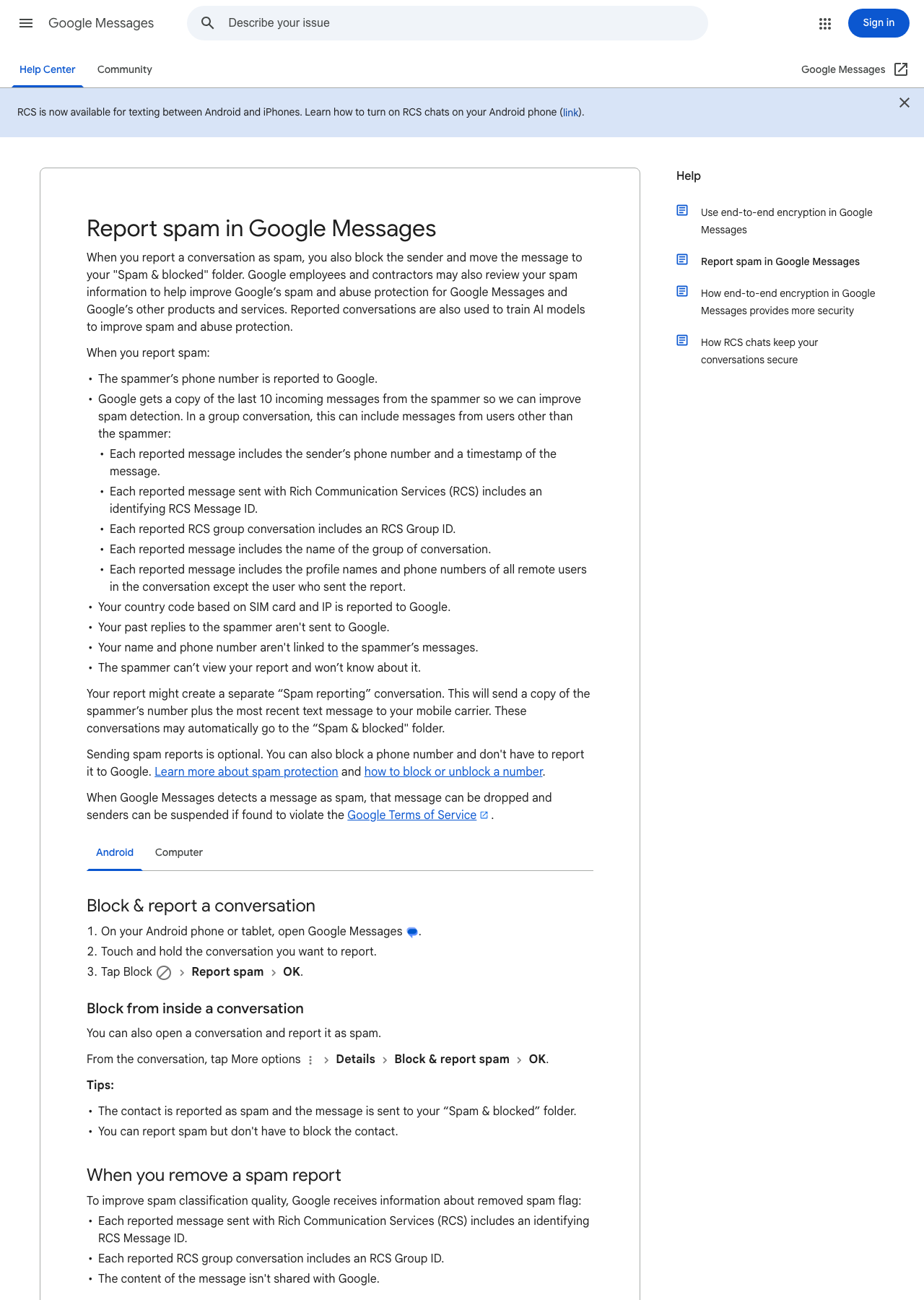
Official Google Messages Help instructions for Android, captured from Google’s spam-reporting guide.
I also turned off automatic MMS downloads. That does not make a phone scam-proof, but it gives her another moment to decide whether media from an unknown sender should be downloaded. The goal was not to disable normal communication. It was to make unexpected content require a deliberate action.
Finally, I disabled the AI features she did not use. That was a usability and privacy choice, not a claim that AI features caused the spam. Removing unfamiliar prompts and buttons made the messaging experience simpler and made the controls she does use easier to recognize.
I stopped the browser interruptions
#In Chrome, I blocked pop-ups and redirects and reviewed which sites were allowed to send notifications. Google notes that continued interruptions can come from website notification permissions even when pop-ups are blocked, which is why both settings matter. The current controls are documented in Chrome Help.
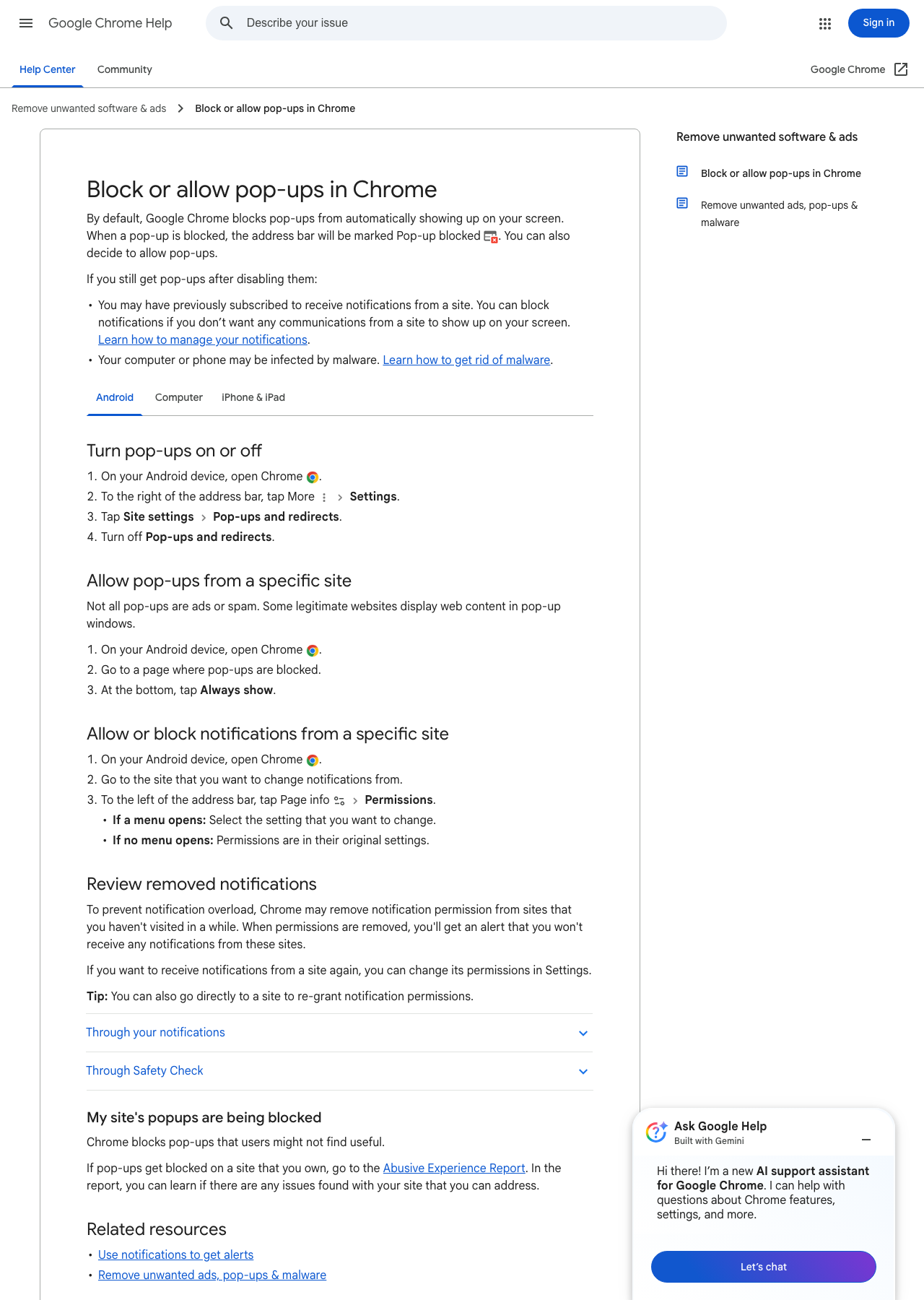
Official Chrome Help instructions for Android, captured from Google’s pop-up and notification guide.
I cleaned up Gmail without teaching the wrong habit
#For legitimate stores and newsletters she recognized, I used Gmail’s built-in unsubscribe controls. For suspicious messages, I reported spam or phishing instead of following a sender-provided link. Gmail says that reporting spam helps it identify similar email more effectively, while recognized promotional mail should be handled with its unsubscribe control. Those are different actions for different kinds of mail, and Gmail Help explains the distinction.
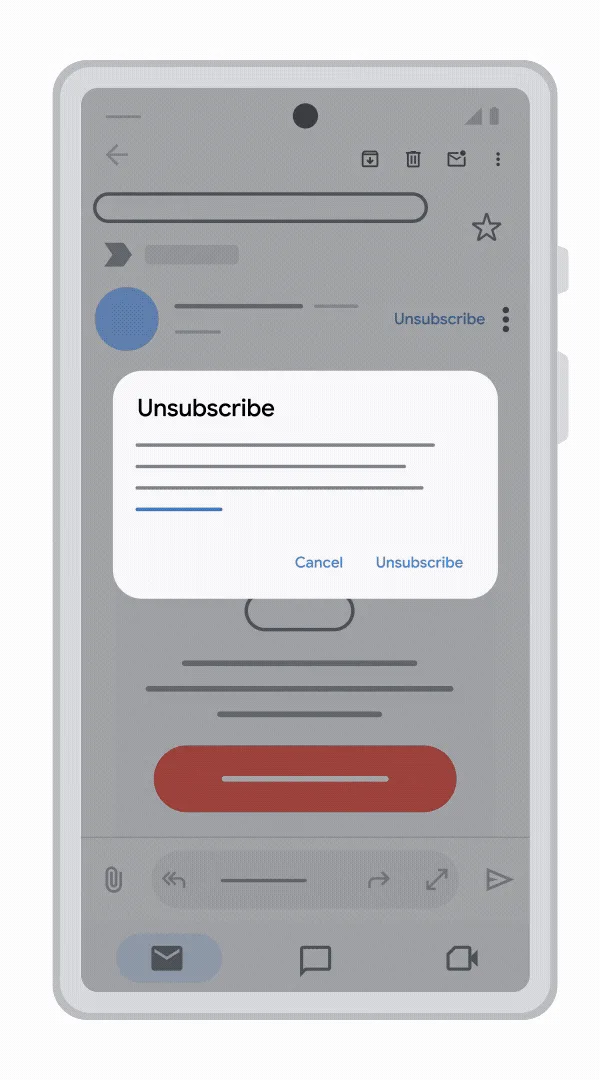
Official Gmail Help screenshot for Android from Google’s unsubscribe guide.
This reduced the current inbox and trained the filter for what comes next. Deleting everything would have made the screen look clean for a day. Reporting and unsubscribing gave the system information it can reuse.
I registered the number with the official Do Not Call Registry
#I added her number through the National Do Not Call Registry. That step can reduce unwanted sales calls from companies that follow the law, but it is not a call-blocking service and it will not stop scammers making illegal calls. The FTC is explicit about that limitation in its Do Not Call Registry FAQ.
That boundary is important. I did not want a successful registration screen to create false confidence. It is one layer: useful for reducing lawful telemarketing, separate from carrier spam filtering, call blocking, and the habit of not engaging with unexpected callers.
I chose CallDetector because the carrier mattered
#Her carrier is Tracfone, so I installed and configured CallDetector instead of choosing a generic call-blocking product. CallDetector is built for Tracfone and related carriers. It can automatically block known scam callers, maintain custom block and allow lists, and file complaints about unwanted callers. Those controls gave this phone a carrier-compatible layer beyond the Do Not Call Registry. The current capabilities and supported carriers are listed on the CallDetector Google Play page.
A broader security or identity-monitoring platform could still make sense later, but only if it is selected for a specific gap, configured end to end, priced clearly, and supported in a way she can use. I did not install Guardio or Cloaked from an audit or quote funnel and call the job finished. Another service that produces alerts without a clear response plan would add to the same problem I was trying to solve.
This is how I want to help my community
#The technical changes took less time than explaining why each one mattered. That explanation is the durable part of the work.
I wanted her to leave with a short mental checklist:
- Do not use the link in an unexpected warning.
- Open the known app or website independently and check there.
- Report suspicious messages so the filter gets better.
- Unsubscribe only from legitimate senders she recognizes.
- Ask someone she trusts before paying for a security service or sharing personal information.
Her phone will collect clutter again. That is normal, and it means this is not a one-time repair. Good local tech support is a combination of configuration, patient explanation, and occasional follow-up. The outcome I care about is not a perfectly empty inbox. It is that the next urgent-looking message has less power over the person holding the phone.
This visit also reflects how I want to help the community around me. If someone I know, or even someone I have just met, needs technical help, I am willing to assess the situation, understand the device and services involved, and find the best practical fix. I do not want to clear one warning and leave the underlying pattern untouched. I want to explain the solution, configure it correctly, and reduce the chance that the same problem returns.